
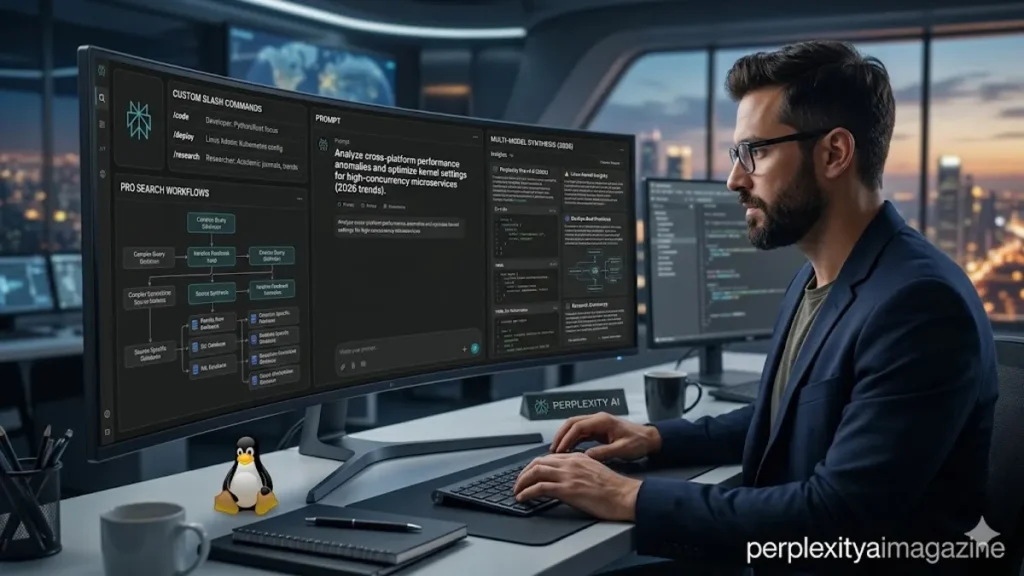
For the modern knowledge worker, the primary challenge of 2026 is no longer finding information, but organizing it. Perplexity AI Spaces addresses this by providing dedicated workspaces designed to house research, files, and conversations under specific project umbrellas. Unlike standard AI threads that function as isolated, ephemeral chats, Spaces allow Pro and Enterprise users to build persistent knowledge hubs. By centralizing up to 50 files for Pro users (and 500 for Enterprise) and applying custom AI instructions, Spaces transform a simple chatbot into a project-aware assistant. Whether you are building a study guide for a medical exam or conducting corporate due diligence, Spaces ensure that every query is informed by both the live web and your specific uploaded documents.
The architecture of a Space is inherently more robust than a traditional search history. It functions as a structured environment where users can toggle between different AI models, such as Claude 4 or Sonar, to fit the technical requirements of the task. For team environments, the collaboration features—ranging from read-only “View” access to full “Contributor” roles—allow for a shared intellectual sandbox. As organizations move away from fragmented folders in Google Drive or Slack, Perplexity Spaces offer a “living” alternative where the information isn’t just stored; it is actively queried and synthesized. This transition marks a significant shift in the utility of generative AI, moving it from a curiosity to a core piece of enterprise and academic infrastructure.
Building the Foundation: Creating and Customizing
Initiating a Space begins with the sidebar, where the “Spaces” icon serves as the gateway to specialized research. When a user creates a new Space, they are prompted to name the project and provide a description—a metadata layer that helps the underlying AI understand the broader context of the inquiry. Crucially, the “Custom Instructions” field allows users to set a permanent “persona” for the Space. A user might instruct the AI to “Always provide answers in a YAML format” or “Explain everything as if to a first-year law student.” These instructions persist across all threads within that specific Space, eliminating the need to repeat complex prompting for every new question.
The utility of a Space is further enhanced by its ability to ingest diverse data types. By clicking “Add Sources,” users can upload PDFs, CSVs, and text documents, or link specific websites that serve as a “grounding” set for the AI. In 2026, the file limit for Pro subscribers has reached a point where entire textbook chapters or technical manuals can be uploaded and queried simultaneously. This “context-aware” search ensures that when a user asks, “What are the core risks identified in our Q3 report?” the AI doesn’t just guess; it scans the specific uploaded PDF while cross-referencing it with real-time market trends from the web.
Comparative Utility: Spaces vs. Threads
To understand the value of Spaces, one must first recognize the limitations of standard “Threads.” A regular thread is a single conversation history, useful for quick lookups or one-off explorations. While context persists within that one conversation, it remains isolated. Spaces, conversely, act as a binder for multiple threads, allowing a user to branch off into different sub-topics without losing the overarching project settings or the shared library of uploaded files. This organization is essential for complex work where a user might need ten different conversations regarding a single product launch.
| Feature | Regular Threads | Perplexity Spaces |
| Persistence | Session-based | Project-based (Permanent) |
| File Capacity | No direct uploads | Up to 50 (Pro) / 500 (Enterprise) |
| Customization | Default system prompt | Custom instructions per Space |
| Model Choice | Global setting | Space-specific model selection |
| Collaboration | Link sharing only | View/Contributor/Org-wide roles |
“Spaces represents the shift from AI as a chatbot to AI as an operating system for research,” says tech analyst Ben Thompson of Stratechery. “It solves the ‘context window’ problem by creating a persistent, shared memory for teams.” This structural difference is the reason why enterprise adoption of Perplexity surged in late 2025; the ability to create “Company Wikis” that are searchable via natural language provides a competitive edge that traditional documentation cannot match.
Collaboration and Enterprise Security
In a professional setting, the “Share” button is the most critical tool within the Space ecosystem. Perplexity offers granular permission management, allowing owners to invite specific collaborators via email. In the 2026 Enterprise version, these permissions integrate with Single Sign-On (SSO) providers, ensuring that internal knowledge remains within the organization. Contributors can add their own threads and follow-ups to the shared files, creating a collaborative brainstorming environment where the AI acts as the moderator.
For high-security sectors like finance and legal, the Enterprise Pro tier offers a critical safeguard: files and queries within a Space are excluded from the AI’s training data by default. This privacy layer allows teams to upload sensitive past proposals or internal reports to accelerate the Request for Proposal (RFP) process without fear of data leakage. Furthermore, the integration with Slack connectors allows teams to push insights from a Perplexity Space directly into their communication channels, bridging the gap between deep research and daily conversation. – perplexity ai spaces.
| Use Case | Key Benefit | Example Prompt in Space |
| Academic Research | Cited summaries from notes/web | “Summarize syllabus weeks 1-6” |
| Business Strategy | Secure file search & due diligence | “Analyze RFP docs vs. latest trends” |
| Content Creation | Tailored outputs and outlines | “Generate SEO blog ideas based on files” |
| Team Planning | Shared editing and group goals | “Plan project timeline from meeting notes” |
“The ability to co-query documents alongside the live web is what makes Spaces unique,” notes Aravind Srinivas, CEO of Perplexity. “It’s not just a file search; it’s an integrated intelligence that understands your internal world and the external world simultaneously.” This duality is what makes Spaces particularly effective for R&D teams who need to blend their own findings with the latest academic breakthroughs.
Strategic Templates and Automated Tasks
For users who are unsure how to structure their research, the Spaces Templates Gallery provides pre-built configurations for common tasks. These templates come pre-loaded with optimized custom instructions and source categories, such as “Competitive Intelligence” or “Course Planner.” By selecting a template, a user can jump-start their workflow, ensuring they are following best practices for AI interaction. In 2026, Pro users have also gained access to “Scheduled Tasks” within Spaces. This allows the AI to run automated research threads at specific intervals—such as a daily scan for new patent filings related to a project—and notify all Space contributors of the findings.
This automation represents the next frontier of the “Pro” experience. Instead of manually querying for updates, the Space becomes a proactive agent. For a sales team, this might mean a Space that automatically updates a “Client News” thread every morning by scanning the web for mentions of their key accounts and comparing them to internal CRM notes uploaded to the Space. The efficiency gains from these automated loops are profound, reducing the time spent on “search maintenance” and increasing the time spent on strategy.
Final Reflections on Structural Research
The transition from a link-based internet to an answer-based one has been rapid, but the move toward structured, collaborative AI environments like Perplexity Spaces suggests an even deeper change. We are moving away from “searching” as a verb and toward “curating” as the primary digital skill. By mastering the setup, customization, and collaborative features of Spaces, users are essentially building custom brains for their specific projects. As these tools continue to evolve, the distinction between our own knowledge and the AI’s synthesis will continue to blur, making the organization of that knowledge the most vital task of the digital age.
Takeaways for Modern Researchers
- Organizational Shift: Move complex projects from isolated Threads to Spaces to maintain persistent context and files.
- Custom Instructions: Set a specific tone or model preference (e.g., “Explain like I’m 5”) once per Space to save time.
- File Integration: Upload up to 50 documents in a Space to ground the AI’s answers in your specific data.
- Granular Sharing: Use “Contributor” access for team brainstorming and “View” access for client reviews.
- Enterprise Privacy: Opt for Enterprise plans to ensure uploaded files are never used to train future AI models.
- Automation: Leverage the 2026 “Scheduled Tasks” feature to have your Space perform recurring research automatically.
- Templates: Use the Spaces Templates Gallery to quickly set up proven structures for academic or business work.
Conclusion
Perplexity AI Spaces represent the maturity of generative AI as a professional tool. By providing a structured, collaborative, and persistent environment, Spaces move the needle from simple inquiry to comprehensive knowledge management. For the individual user, it is a way to tame the chaos of the internet and one’s own file system into a single, searchable interface. For teams, it is a shared intelligence that can synthesize internal data with the ever-changing external world in real time. As we look toward the future of work in 2026 and beyond, the ability to build and maintain these digital knowledge hubs will be a defining characteristic of successful professionals. Perplexity has provided the architecture; the value now lies in how we populate these Spaces with the questions and data that drive our most important work.
READ: How to Use Perplexity AI on iPhone — The Complete Guide
Frequently Asked Questions
What is the main difference between a Thread and a Space?
A Thread is a single, private conversation history. A Space is a collaborative workspace that groups multiple threads together, allows for file uploads, and uses custom AI instructions to provide a consistent “persona” or technical focus across all interactions within that project.
Can I move my existing Threads into a new Space?
Yes, in the 2026 interface, you can manually add existing Threads to a Space. However, this is not an automatic process; you must select the thread and move it to the specific Space to inherit that Space’s settings and file access.
How many files can I upload to a Perplexity Space?
Pro subscribers can upload up to 50 files per Space, with each file having a size limit of 25 MB. Enterprise subscribers enjoy expanded limits of up to 500 files, suitable for large-scale corporate knowledge bases.
Is it safe to upload confidential business documents to a Space?
For Enterprise users, Perplexity excludes all uploaded files from AI training by default. Pro users should check their data privacy settings, though Spaces are generally more secure and isolated than public, non-account-based queries.
Do collaborators need a Perplexity account to see my Space?
Users with a “View” link can often browse the threads without an account, but to participate as a “Contributor” and add their own queries or files, a Perplexity account (and usually a Pro subscription for advanced features) is required.
References
- Perplexity AI. (2026). Using Spaces for collaborative research. Perplexity Help Center. Retrieved from https://www.perplexity.ai/hub/spaces-guide
- Srinivas, A. (2025, November). The future of the knowledge engine. Speech at the AI Infrastructure Summit. Retrieved from https://www.theverge.com/2025/11/12/perplexity-ceo-keynote
- Thompson, B. (2026, January). AI and the persistent workspace. Stratechery. Retrieved from https://stratechery.com/2026/perplexity-spaces-and-enterprise-ai/
- Miller, J. (2026). Organizational behavior in the age of AI assistants. Journal of Modern Business Tech. Retrieved from https://www.jmbtech.org/articles/2026-ai-spaces
- Gartner. (2026). Emerging technologies: The rise of answer engines in the enterprise. Gartner Research. Retrieved from https://www.gartner.com/en/documents/2026-answer-engines-enterprise
