
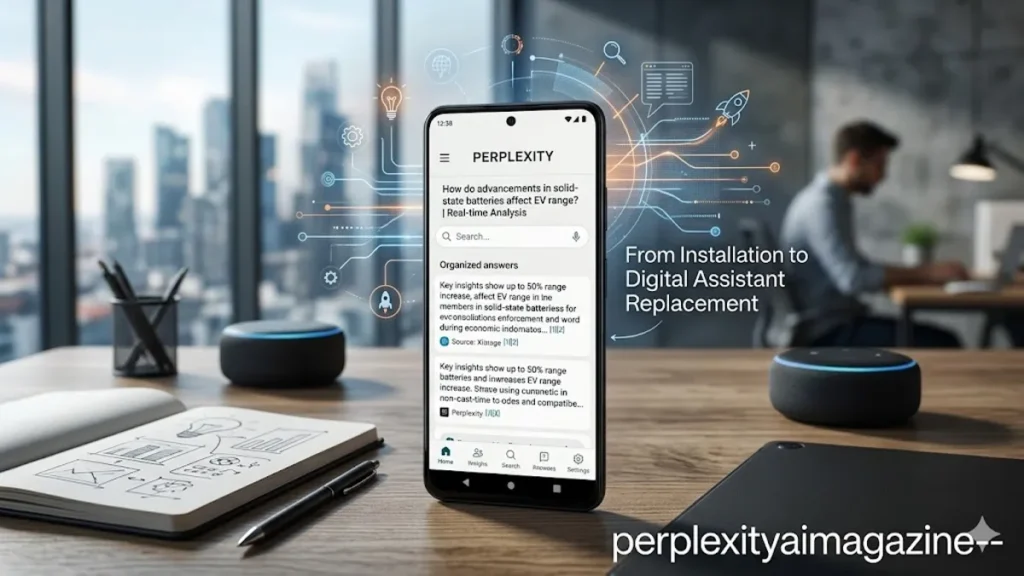
For years, the “long press” on an Android home button was the exclusive domain of Google. Whether it was the Google Assistant or the newer, more experimental Gemini, the underlying assumption remained the same: Google owned the mobile search experience. That monopoly is now being challenged by Perplexity AI, a “proactive search engine” that has successfully migrated from a browser tab to the very core of the Android operating system. By downloading the Perplexity app from the Google Play Store and designating it as the system’s “Digital assist app,” users can bypass traditional keyword-based searches in favor of a conversational, cited interface that feels less like a directory and more like a researcher. – perplexity ai on android.
Integrating Perplexity into an Android device is a multi-step process that involves navigating the deep settings of the OS, but the payoff is a significantly more responsive and nuanced AI experience. Unlike traditional voice assistants that often struggle with complex, multi-part questions, Perplexity on Android uses its “Pro” capabilities to pull from real-time web data, providing footnotes and verifiable sources for every claim. This transition represents a broader shift in mobile computing, where the goal is no longer just finding a website, but obtaining a synthesized, accurate answer without ever leaving the current application.
The Engineering of a Replacement
To turn Perplexity into a seamless part of the Android ecosystem, the user must first ensure they are running the latest version of the app. Android’s open architecture allows for the replacement of the default digital assistant, a feature that remains largely restricted on iOS. Once the app is installed, a prompt usually appears on the home screen banner to begin the onboarding process. This “onboarding” is more than a tutorial; it is a permission-granting sequence that allows the AI to overlay on top of other apps, listen for voice triggers, and access the system’s intent-processing framework.
The technical heavy lifting occurs within the “Default Apps” menu. By navigating to Settings > Apps > Default Apps > Digital assist app, the user can swap Google for Perplexity. This change rewires the hardware and software triggers—such as the diagonal swipe from the bottom corner or the long press of the power button—to launch Perplexity’s interface instead of Google’s. For power users, this is the digital equivalent of a heart transplant for their phone, replacing the legacy assistant with an engine designed specifically for the era of Large Language Models (LLMs).
Navigating Device-Specific Hurdles
While the core Android software supports assistant swapping, hardware manufacturers often layer their own “skins” or button configurations that can complicate the process. Samsung users, for example, frequently find themselves battling the Bixby legacy. To ensure the side key triggers the correct AI, one must delve into the “Advanced Features” menu to remap the side key settings. Similarly, Xiaomi and Huawei users may need to adjust “Quick Ball” or “Smart Assistant” toggles to prevent hardware conflicts. These hurdles are the final gatekeepers between a standard smartphone and an AI-integrated powerhouse.
| Feature | Standard Assistant (Google) | Perplexity AI on Android |
| Search Logic | Keyword & Ad-driven | Conversational & Citation-driven |
| Source Transparency | Limited to Top Results | Inline Footnotes & Citations |
| Model Choice | Fixed (Gemini/Google) | Selectable (Claude 3, GPT-4o, Sonar) |
| Integration | Deep System Control | Informational & Research-centric |
| Response Style | Succinct / Task-oriented | Comprehensive / Analytical |
“The shift we are seeing is toward ‘agentic’ behavior,” says Aravind Srinivas, CEO of Perplexity AI. “It’s not just about asking a question; it’s about the assistant understanding the context of what you are doing on your screen and providing a cited answer that moves your workflow forward.” This sentiment is echoed by many in the industry who view the Android integration as a crucial step toward making AI a constant companion rather than a destination.
Activation and the Voice Interface
Once the “Digital assist app” is set to Perplexity, the activation methods become instinctive. On modern gesture-based Android versions, a quick swipe from the bottom-left or bottom-right corner toward the center of the screen pulls up the Perplexity overlay. This overlay is designed to be non-intrusive, allowing users to speak their queries while looking at another app. If a user is browsing a complex medical PDF or a long-form news article, they can trigger Perplexity to “Summarize this page” or “Explain the concept mentioned here,” leveraging the system’s ability to “see” the screen context.
The voice interface is particularly robust, utilizing Android’s native speech-to-text engines to feed into Perplexity’s LLM. This allows for a hands-free experience that is significantly more accurate than the “I found these results on the web” responses typical of older assistants. For Pro subscribers, this experience is further enhanced by the ability to toggle between different AI models, such as Claude 3.5 Sonnet or GPT-4o, depending on the complexity of the task at hand. This level of customization is unprecedented in the mobile assistant space.
Pro Features and the Citation Economy
A major differentiator for Perplexity on Android is the “Pro” subscription, which unlocks a deeper level of research. Pro users gain access to “Copilot” (now often referred to as Pro Search), which asks clarifying questions to narrow down the user’s intent. This is especially useful on mobile, where typing long, detailed prompts is cumbersome. By asking one or two follow-up questions, Perplexity ensures that the final result is exactly what the user needed, saving time and reducing the need for repetitive searching.
The “Citation Economy” is another area where Perplexity shines. Every response on the Android app includes small, numbered footnotes. Tapping these footnotes instantly opens a drawer showing the source URL, a snippet of the text, and a link to the full article. This transparency builds trust, a commodity that is often lacking in the “black box” responses of other generative AIs. For students, researchers, and professionals, this makes the Android app an indispensable tool for fact-checking on the go.
| Subscription Tier | Basic (Free) | Pro ($20/month) |
| Search Frequency | Unlimited Standard | 600+ Pro Searches/Day |
| Model Selection | Default Perplexity | GPT-4o, Claude 3.5, Sonar |
| File Uploads | Limited | Unlimited (PDFs, Images, Code) |
| Image Generation | Not Included | DALL-E 3, Stable Diffusion XL |
| Support | Standard | Priority & Beta Access |
“Perplexity is essentially trying to organize the world’s information in a way that is conversational and verifiable,” notes tech analyst Ben Thompson of Stratechery. “By taking over the assistant slot on Android, they are positioning themselves at the highest point of the user’s intent funnel.” This strategic placement is what makes the Android app more than just a search tool; it is a frontal assault on the way information has been consumed on mobile devices for the last decade.
The Future of Mobile Autonomy
As AI models become more efficient, the integration between the hardware and the software will only tighten. Future updates to the Perplexity Android app are expected to include better integration with local device data, such as calendars and emails, though currently, the focus remains on external web knowledge. The goal is to create a seamless loop where the user thinks of a question, triggers the assistant with a gesture, and receives a cited, multi-perspective answer within seconds.
The move to Android is also a defensive play. As Google integrates Gemini deeper into the OS, third-party apps must offer a significantly better experience to justify the friction of a manual setup. Perplexity’s bet is that users value accuracy and citations over the convenience of a pre-installed, often hallucination-prone, default. If the current trajectory of user adoption is any indication, the “Digital assist app” setting might become the most important toggle on an Android phone.
Takeaways for Android Users
- Default Replacement: You can fully replace Google Assistant with Perplexity in the “Digital assist app” settings.
- Gesture Control: Once set, Perplexity can be triggered via a corner swipe or power button long-press.
- Model Flexibility: Pro users can choose between top-tier models like GPT-4o and Claude 3.5 directly from their phone.
- Real-Time Citations: Every answer on mobile includes verifiable links, reducing the risk of AI hallucinations.
- Voice Efficiency: Use the microphone icon for complex research queries that are too long to type.
- Device Tuning: Ensure you check “Side Key” settings on Samsung or “Quick Ball” on Xiaomi to avoid hardware conflicts.
Conclusion
The arrival of Perplexity AI as a viable system-level assistant on Android represents a landmark shift in the mobile landscape. For the first time, users have a streamlined, accessible alternative to the search giants that have defined the internet era. By following a few simple setup steps—navigating to the default app settings and remapping hardware triggers—anyone can transform their smartphone into a high-powered research assistant. While the process requires a departure from the “out-of-the-box” experience, the reward is a device that provides answers instead of just links, and evidence instead of just assertions. As we move deeper into the age of artificial intelligence, the ability to choose our digital assistants will be as fundamental as choosing our web browsers was in the 1990s. Perplexity on Android is not just an app; it is a declaration of independence for the mobile user.
READ: How to Use Perplexity AI for Research: The Complete 2026 Guide for Students & Professionals
Frequently Asked Questions
Can I still use Google Assistant if I set Perplexity as my default?
Yes, but not through the standard hardware triggers. You can still launch the Google app or use the “Hey Google” voice command if the “Google” app retains those permissions, but the primary system gestures will favor Perplexity.
Does Perplexity for Android work offline?
No. Perplexity is a “live” search engine that requires an active internet connection to browse the web, cite sources, and process natural language through its cloud-based LLMs.
Is the Pro version necessary for the Android app?
Not necessarily. The free version provides robust, cited answers. However, the Pro version allows for more complex “Pro Searches” and the ability to switch between more advanced AI models like Claude 3.5.
Will using Perplexity as an assistant drain my battery?
The battery impact is negligible and comparable to Google Assistant. The app only consumes significant power when actively processing a query or using the screen for extended research sessions.
Can Perplexity control my phone’s hardware, like setting alarms?
Currently, Perplexity’s Android integration is focused on information retrieval. For hardware-specific tasks like setting alarms or toggling Bluetooth, native assistants like Google Assistant or Bixby are still more deeply integrated.
References
- Perplexity AI. (2024). Perplexity AI for Android: A new way to search. Retrieved from https://www.perplexity.ai/download
- Google. (2024). Manage your Android device’s digital assistant settings. Android Help. Retrieved from https://support.google.com/android/answer/7251139
- Srinivas, A. (2024, January). The future of conversational search. Interview with The Verge. Retrieved from https://www.theverge.com/24054424/perplexity-ai-ceo-aravind-srinivas-interview
- Samsung Electronics. (2024). How to remap the Side key on your Galaxy phone. Samsung Support. Retrieved from https://www.samsung.com/us/support/answer/ANS00084513/
- Thompson, B. (2024). Perplexity and the future of search. Stratechery. Retrieved from https://stratechery.com/2024/perplexity-and-the-future-of-search/
