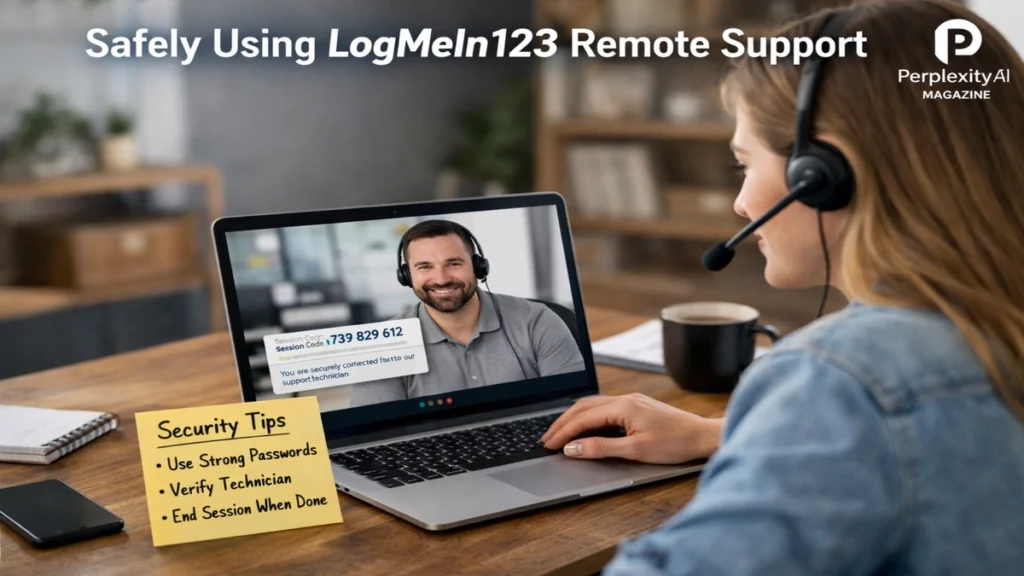
I remember the first time a support agent asked me to type a short web address and read out a six-digit code. It felt efficient, even reassuring, like modern problem-solving distilled into a few clicks. That same moment also captures why LogMeIn123.com confuses so many people today. The site is real, widely used, and designed to help. Yet it has also become a doorway scammers try to push unsuspecting users through.
In simple terms, LogMeIn123.com exists to connect a user with a technician during a live support session. It is part of LogMeIn Rescue, a professional remote support tool used by IT teams, customer service desks, and managed service providers. The site itself does nothing until a user enters a temporary six-digit code supplied by a technician. That code opens a session that the user controls, watches in real time, and can end at any moment.
The search intent around LogMeIn123 is rarely technical curiosity. Most people arrive with a single urgent question. Is this safe or am I being scammed? The honest answer is both simpler and more uncomfortable. The technology is legitimate and secure when used correctly. The danger comes from human manipulation. Scammers exploit fear, urgency, and confusion to persuade people to grant access they never intended to give.
This article lays out how LogMeIn123 actually works, why criminals target it, what a safe session looks like, and how users can recognize warning signs before damage is done.
Read: Claude AI Shutdown Tests Reveal Alignment Risks
What LogMeIn123.com Is Designed to Do
LogMeIn123.com functions as a gateway rather than a service in itself. It does not automatically install software or connect anyone remotely. Its sole purpose is to accept a one-time support code and launch a temporary Rescue applet for that specific session.
Support professionals use this system because it eliminates guesswork. There is no standing account for the user, no persistent access, and no background service running indefinitely. Each session is initiated by a code that expires. Once the session ends, the connection is gone.
From a design perspective, this model favors user consent. Nothing happens unless the user chooses to proceed. Permissions such as screen viewing, mouse and keyboard control, or file transfer are requested explicitly. The user can deny individual permissions without canceling the entire session.
This structure is why large organizations rely on LogMeIn Rescue for customer support. It offers a controlled environment where troubleshooting can happen quickly while leaving visible traces of what actions occurred during the session.
How a Legitimate Support Session Works
A proper LogMeIn123 session begins before the website is ever opened. The user contacts support through an official channel. That might be a company’s published phone number, an authenticated support portal, or an in-app help request. Only after that contact does a technician provide a six-digit code.
The user then manually types logmein123.com into a browser. After entering the code, the Rescue applet downloads and runs. At this stage, nothing is hidden. The user sees connection prompts, permission requests, and a visible toolbar indicating the session is active.
During the session, the technician may diagnose problems, demonstrate solutions, or adjust settings while the user watches. Most professional sessions also include a chat window that logs communication. When the issue is resolved, the user ends the session and removes the applet.
The key detail is control. The technician cannot reconnect later without a new code. The session does not persist beyond its explicit end.
Read: Wuji Tech Robotic Hand Signals a Turning Point in Dexterity
Why the Same Tool Becomes Dangerous
The technical safeguards of LogMeIn123 do not fail on their own. The risk enters through social engineering. Scammers understand that the average user does not distinguish between a real support workflow and a fabricated one delivered with confidence.
In a typical scam, the attacker initiates contact. It may be a phone call claiming urgent security issues, a browser pop-up warning of viruses, or an email warning of account suspension. The message always pressures the user to act immediately.
The scammer then directs the user to LogMeIn123.com, presenting it as proof of legitimacy. Because the site is real, suspicion drops. Once access is granted, the scammer can perform actions that appear technical but serve a narrative of danger. Fake scans, disabled settings, or fabricated error messages are common.
At that point, the scam pivots to payment or data theft. The problem was never technical. It was psychological from the start.
Common Red Flags Users Miss
The most reliable warning sign is who initiated the interaction. Legitimate support does not begin with cold calls or alarming pop-ups. Companies do not monitor personal devices and then contact users out of the blue.
Language is another signal. Scammers often rely on scripted urgency, repeating phrases about immediate risk, legal consequences, or irreversible damage. They resist verification and discourage hanging up or seeking a second opinion.
During sessions, suspicious behavior becomes clearer. Requests for passwords, banking details, or gift card payments are never part of legitimate technical support. Nor is the installation of unrelated software or the disabling of antivirus protection without explanation.
Table: Legitimate Support Versus Scam Behavior
| Aspect | Legitimate Session | Scam Scenario |
|---|---|---|
| Contact origin | User initiated | Unsolicited |
| Tone | Calm, procedural | Urgent, threatening |
| Permissions | Explained, optional | Pressured, vague |
| Payment | Outside session | Demanded during session |
| Transparency | Actions explained | Actions obscured |
Security by Design and Its Limits
LogMeIn Rescue uses encrypted connections and session-specific authentication. From a network security perspective, the tool is not inherently unsafe. Its safeguards assume the user understands who they are connecting to.
This highlights a broader truth in cybersecurity. Tools are neutral. Risk emerges from context and behavior. A locked door is effective only if you know who you are opening it for.
Security experts consistently emphasize education over fear. Knowing how remote support works makes it harder for attackers to manipulate perceptions. Awareness short-circuits urgency.
Expert Perspectives on Remote Support Abuse
One cybersecurity consultant summarized the issue succinctly by noting that remote access tools do not create scams. Scammers simply borrow them because they are familiar and trusted.
Another expert in endpoint protection has argued that modern defenses must focus on user decision points, not just malware detection. When a user willingly installs software, traditional protections may not trigger alerts.
A third industry voice has highlighted that companies offering remote support tools now spend as much effort on abuse prevention education as on technical hardening.
Practical Steps for Safe Use
Users can dramatically reduce risk by following a few disciplined habits. Always initiate support contact yourself. Never respond to unsolicited messages urging immediate action.
Type support addresses manually instead of clicking links. Verify technician identity through known channels. Watch the session closely and ask questions about every action taken.
Ending the session cleanly matters. Use the built-in option to end support and remove the applet. If discomfort lingers, uninstall any remnants and run security scans.
Table: User Safety Checklist
| Step | Purpose |
|---|---|
| Initiate contact | Confirms legitimacy |
| Verify technician | Prevents impersonation |
| Limit permissions | Reduces exposure |
| Monitor actions | Detects abuse |
| End and clean up | Restores control |
When Things Go Wrong
If a user suspects they granted access to a scammer, speed matters. Disconnect immediately. Shut down the computer if necessary. From a clean device, change passwords for email, banking, and critical accounts.
Running multiple security scans helps identify unwanted software. In severe cases, a full system reset may be the safest option. Financial accounts should be monitored closely for unusual activity.
Reporting the incident can also help others. Many support tool providers maintain abuse reporting channels to track patterns and disable fraudulent accounts.
The Broader Context of Tech Support Fraud
LogMeIn123 is not unique. Other remote tools face similar abuse. The pattern reflects a wider trend where legitimate infrastructure is repurposed for deception.
This reality challenges simple narratives of safe versus unsafe software. The dividing line is not the tool but the trust relationship surrounding its use.
As remote work and digital support continue to expand, these dynamics will intensify. The responsibility for safety will remain shared between providers designing safeguards and users exercising informed judgment.
Takeaways
- LogMeIn123.com is a legitimate gateway for professional remote support sessions.
- Safety depends on who initiates the connection, not the tool itself.
- Scammers rely on urgency and fear rather than technical exploits.
- Users retain control during legitimate sessions and can end them anytime.
- Verification and skepticism are the strongest defenses.
- Education reduces risk more effectively than fear.
Conclusion
I see LogMeIn123 as a mirror of our digital moment. It reflects both the efficiency of modern support and the vulnerabilities of human trust. Used correctly, it solves problems quickly and transparently. Used carelessly, it becomes an open door to exploitation.
The lesson is not to reject remote support outright. It is to understand it deeply. Knowing how legitimate sessions begin, unfold, and end makes it far harder for scammers to hijack the process. In an environment where technology often feels opaque, clarity becomes a form of protection.
Remote tools will remain part of daily life. The task for users is not to fear them, but to meet them with informed caution and confidence.
FAQs
Is LogMeIn123.com itself dangerous?
No. The site is legitimate. Risk comes from granting access to unverified individuals.
Should I trust pop-ups telling me to visit LogMeIn123?
No. Legitimate support does not begin with unsolicited warnings or pop-ups.
Can I watch what a technician does during a session?
Yes. All actions are visible in real time, and you can end the session instantly.
Do sessions allow permanent access?
No. Each session uses a temporary code and expires when ended.
What is the safest way to use remote support?
Always initiate contact yourself and verify the technician before entering any code.