
I still remember the first time I connected two Linux machines with nothing more than a cable and a terminal window. There was no glossy interface, no pop up wizard, only the quiet blink of a cursor waiting for a command. Within minutes, files began moving across the wire, encrypted and intact. That is the essence of Linux to Linux communication: elegant, direct, and powerful.
For anyone searching how to transfer files between Linux systems, the answer is clear. The most secure and reliable methods rely on SSH based tools such as SFTP, SCP, and rsync. For shared environments, NFS or Samba can expose directories across networks. For isolated setups, two machines can connect directly through Ethernet with static IP addresses, no router required. These approaches form the backbone of modern system administration, backups, and distributed computing.
Linux, introduced by Linus Torvalds in 1991, now powers servers, supercomputers, and cloud infrastructure worldwide. According to the 2023 Linux Foundation report, Linu-x runs more than 90 percent of public cloud workloads. Behind that dominance is a quiet truth: Linux machines constantly exchange data with each other. The process is routine, yet foundational to the digital world.
What follows is a detailed exploration of how Linux systems communicate securely, efficiently, and reliably.
Read: How to Use Skype for Calls, Chat and Screen Sharing
The Secure Foundation: SSH as the Backbone

Secure Shell, or SSH, is the spine of Linux to Linux transfers. Developed in 1995 by Tatu Ylönen, SSH replaced insecure protocols such as Telnet by encrypting traffic between machines. Today, OpenSSH is bundled with nearly every Lin-ux distribution.
SSH provides confidentiality, integrity, and authentication. According to Ylonen (2006), SSH was designed to counteract password sniffing and session hijacking that plagued early internet infrastructure. Every file transfer tool discussed here rides on top of SSH.
To enable it, administrators typically run:
sudo systemctl enable --now ssh
Connectivity is tested with:
ssh user@remote-ip
If the connection succeeds, encrypted file transfers become possible. Key based authentication strengthens security further. Instead of passwords, a private public key pair ensures that only authorized systems can connect.
As cybersecurity researcher Bruce Schneier once wrote, “Encryption works. Properly implemented strong crypto systems are one of the few things that you can rely on.” Linux file transfers embody that principle.
SCP: The Straight Line Between Two Systems
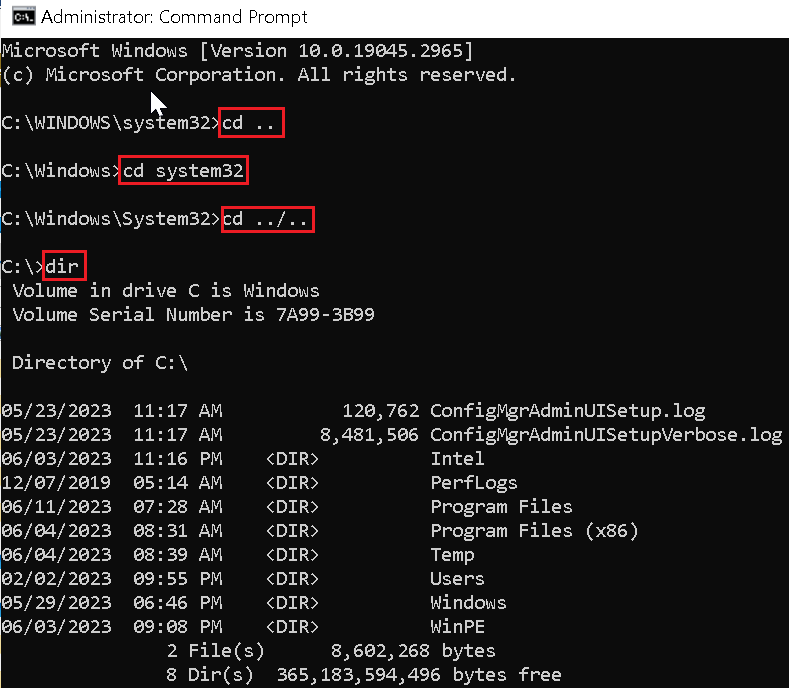
The scp command is direct and unambiguous. It securely copies files over SSH using a syntax that mirrors the traditional Unix cp command.
Basic usage looks like this:
- Copy local to remote:
scp /local/file.txt user@remote:/path/ - Copy remote to local:
scp user@remote:/file.txt /local/ - Copy directories recursively:
scp -r /dir user@remote:/dest/
The -P flag specifies a custom port, while -p preserves timestamps and permissions. Compression is enabled with -C, useful on slower links.
SCP is ideal for quick transfers and scripted deployments. However, it copies entire files every time. If a 5 gigabyte file changes by one line, SCP resends all 5 gigabytes.
That limitation becomes important in environments where data changes frequently. For those cases, rsync often replaces SCP.
Rsync: Precision and Efficiency

Rsync was created by Andrew Tridgell and Paul Mackerras in 1996. Its defining innovation was delta encoding, which transfers only the changed portions of files. The algorithm compares checksums and timestamps before sending data.
A typical command reads:
rsync -avz source/ user@remote:/dest/
- -a preserves attributes
- -v enables verbose output
- -z compresses during transfer
Rsync excels in backups and mirrored directories. The first run may take time, but subsequent synchronizations are dramatically faster.
Andrew Tridgell explained in early documentation that rsync was built to “minimize network traffic” while maintaining file integrity. In enterprise environments, that efficiency reduces bandwidth costs and downtime.
For automated jobs, administrators combine rsync with cron scheduling. Over time, it becomes an invisible yet essential service quietly synchronizing data across servers.
Comparing Rsync and SFTP
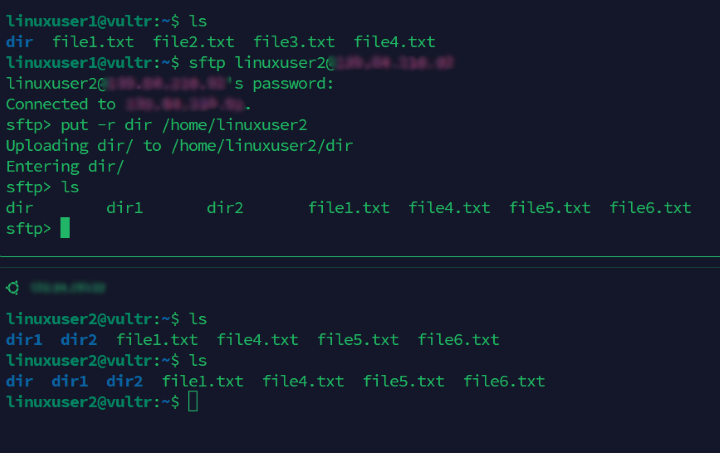
SFTP operates interactively within an SSH session. Users can browse directories, upload with put, and download with get. It behaves like a secure version of FTP.
Rsync, by contrast, is non interactive and optimized for automation.
| Feature | Rsync | SFTP |
|---|---|---|
| Transfer Style | Incremental delta | Full file copies |
| Best For | Backups, large directories | Ad hoc transfers |
| Automation | Strong via scripts | Limited |
| Efficiency on Repeats | High | Moderate |
| Interactive Navigation | No | Yes |
Both encrypt traffic through SSH. The decision depends on workflow. Administrators managing nightly backups choose rsync. Engineers sharing a single document often prefer SFTP’s simplicity.
Shared Directories: NFS and Samba
Sometimes file transfer is not about copying but sharing. The Network File System, or NFS, originated at Sun Microsystems in 1984. It allows Linux systems to mount remote directories as if they were local.
Samba, developed by Andrew Tridgell in 1992, provides interoperability with Windows networks using the SMB protocol.
| Protocol | Primary Use | Platform Compatibility |
|---|---|---|
| NFS | Linux native sharing | Linux and Unix |
| Samba | Cross platform sharing | Linux, Windows, macOS |
NFS integrates seamlessly into Linux permissions and user IDs. Samba enables mixed office environments to collaborate.
According to the Samba Team documentation, Samba’s goal is to “provide secure, stable and fast file and print services.” In practice, both tools extend Linux to Linux communication into persistent networked ecosystems.
Direct Connections Without a Router

Modern network cards support auto MDI X, which eliminates the need for crossover cables. Two Lin-ux machines can connect directly using a standard Ethernet cable.
After connecting, static IP addresses are assigned:
On PC1:sudo ip addr add 192.168.100.1/24 dev enp0s3
On PC2:sudo ip addr add 192.168.100.2/24 dev enp0s3
Interfaces are activated with:sudo ip link set enp0s3 up
Testing follows:ping 192.168.100.1
No router, no DHCP server, just two systems communicating directly. In labs, field deployments, or air gapped environments, this approach remains invaluable.
Network engineer Radia Perlman once observed that simplicity often leads to robustness. Direct Linux connections prove her point.
Troubleshooting Connectivity Failures
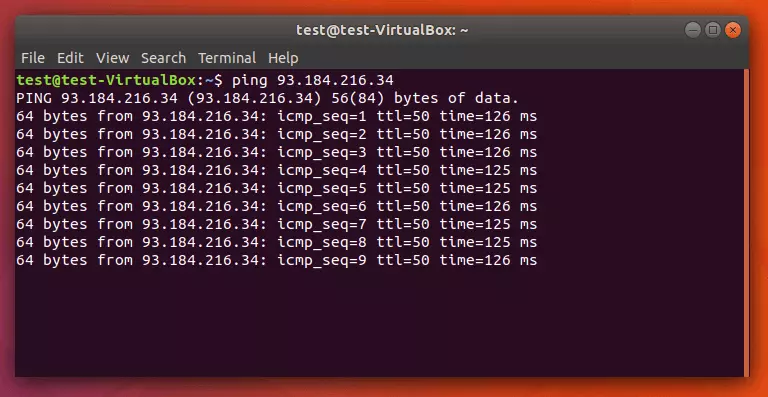
When ping fails, diagnosis begins with fundamentals.
First, verify link lights and cable integrity. Replace cables if necessary. Confirm interface names using ip link show.
Next, inspect IP configuration:ip addr show dev enp0s3
Flush conflicting routes:sudo ip route flush dev enp0s3
Firewalls may block ICMP traffic. Disable temporarily with:sudo ufw disable
orsudo iptables -F
Packet capture tools like tcpdump help confirm whether echo requests reach the interface.
Security expert Gene Spafford has long argued that “security is not a product, but a process.” Troubleshooting embodies that process, demanding methodical verification of each layer.
Security Best Practices for Linux to Linux Transfers
Encryption alone does not guarantee safety. Administrators must harden configurations.
Generate keys with:ssh-keygen -t ed25519
Disable password authentication in /etc/ssh/sshd_config. Restrict access via firewall rules. Monitor logs at /var/log/auth.log.
Backups remain essential before large transfers. Rsync supports dry runs with -n to preview changes.
The 2023 Verizon Data Breach Investigations Report emphasizes that credential misuse remains a leading cause of breaches. Key based authentication mitigates that risk.
Linux to Lin-ux transfers, when configured correctly, balance speed with strong cryptography. The discipline lies not in typing commands, but in maintaining vigilance.
Takeaways
- SSH underpins secure Linux to Linux file transfers.
- SCP provides fast, encrypted copying for simple tasks.
- Rsync minimizes bandwidth by transferring only file changes.
- NFS and Samba enable persistent shared directories.
- Direct Ethernet connections allow router free communication.
- Troubleshooting requires systematic network and firewall checks.
- Key based authentication significantly improves security posture.
Conclusion
There is something quietly profound about two Linux systems exchanging data. No advertisements, no animated progress bars, just encrypted packets crossing a cable or network path. What began in the early 1990s as a student’s open source project has evolved into the infrastructure backbone of the internet.
Linux to Linux communication is not merely about moving files. It represents a philosophy of transparency and control. Administrators see exactly what is happening. Commands are explicit. Security is deliberate.
From SCP’s simplicity to rsync’s efficiency and NFS’s persistence, each tool reflects decades of engineering refinement. Together they form a toolkit that powers cloud platforms, research labs, and personal servers alike.
In a world increasingly abstracted by graphical interfaces, the Linux terminal remains a place where understanding and precision still matter. And in that blinking cursor lies a conversation between machines that quietly keeps the modern world running.
FAQs
1. Is SCP secure for file transfers?
Yes. SCP uses SSH encryption, protecting data in transit from interception or tampering.
2. Why is rsync faster for repeated transfers?
Rsync uses delta encoding to transfer only changed portions of files, reducing bandwidth usage.
3. Do I need a crossover cable to connect two Linux PCs directly?
No. Most modern network cards support auto MDI X, allowing standard Ethernet cables.
4. What is the difference between NFS and Samba?
NFS is optimized for Linux and Unix systems. Samba enables compatibility with Windows networks.
5. How can I test connectivity between two systems?
Use ping to test reachability and tcpdump to analyze packet flow.