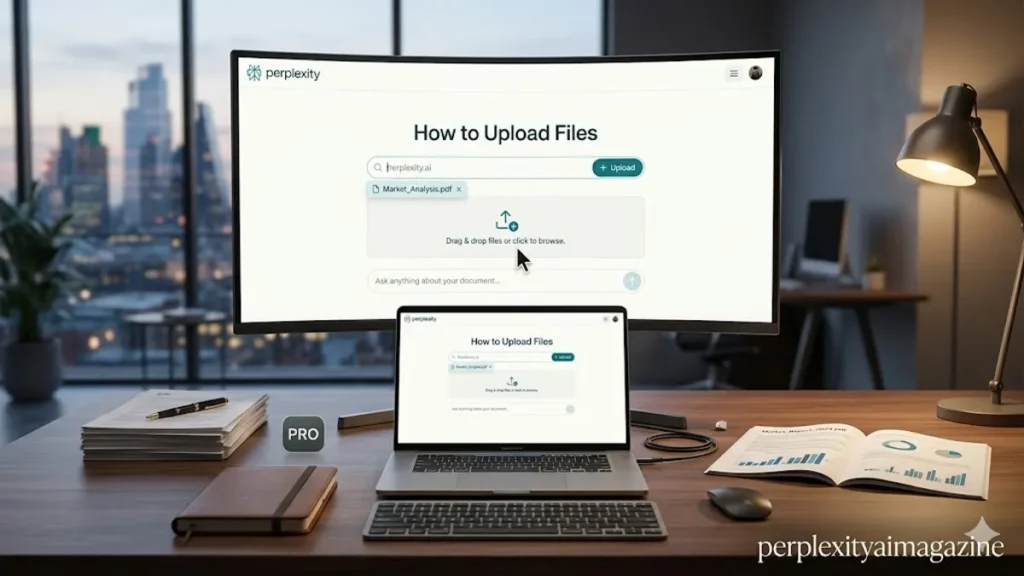
In the evolution of information retrieval, the boundary between the public web and private data is dissolving. Perplexity AI, the “answer engine” that has rapidly challenged the search status quo, now offers a bridge between these two worlds through its robust file upload capabilities. To upload files to Perplexity, users simply start a new thread and click the + Attach icon in the search bar or use the intuitive drag-and-drop functionality to import files and folders. Supporting a diverse array of formats—including text files, PDFs, images, audio, and video—the platform allows users to interleave their personal documents with the real-time indexing of the open internet. This functionality turns a simple search box into a multifaceted analytical workbench. – upload files to Perplexity AI.
The technical specifications of this feature are designed for the high-bandwidth needs of modern researchers. Each file is subject to a 40 MB limit, a threshold that accommodates substantial spreadsheets, high-resolution PDFs, and moderately sized multimedia clips. Once uploaded, the AI parses the content within the specific thread, allowing for granular follow-up questions that treat the document as a primary source. Crucially, Perplexity manages data lifecycle through a retention policy that generally stores files for 30 days, though Enterprise Pro users benefit from an expedited 7-day deletion cycle for enhanced privacy. This strategic feature set positions Perplexity not just as a tool for finding what others have written, but for synthesizing what you already know.
The implications for productivity are profound. By allowing the AI to “read” a 100-page financial report or “listen” to a recorded lecture, Perplexity bypasses the traditional bottleneck of manual data entry. Instead of summarizing a document in one window and searching for market context in another, the user can now ask, “Based on this uploaded internal memo, how do our projected earnings align with the current sector trends reported by Bloomberg?” This synthesis of internal and external data represents a shift from static search to dynamic intelligence, where the AI acts as a synthetic librarian capable of cross-referencing private archives with global events in milliseconds. – upload files to Perplexity AI.
The Mechanics of Multimedia Synthesis
The sophistication of Perplexity’s file processing lies in its multi-modal architecture. When a user uploads a PDF or a plain text file, the system employs advanced optical character recognition (OCR) and text extraction to create a searchable index. However, the system truly differentiates itself when handling audio and video files. Rather than merely storing these as attachments, Perplexity transcribes the spoken word into text. This enables users to perform semantic searches within a video file—such as finding a specific quote in a two-hour symposium—and then asking the AI to compare those statements against recent scientific publications found on the web.
This multimedia capability extends to images as well. Through computer vision, Perplexity can analyze charts, handwritten notes, or architectural diagrams. An engineer might upload a blueprint to ask about compliance with specific building codes, or a student might photograph a complex chemical equation to request a step-by-step derivation. The process is remarkably seamless: after clicking the attachment button, the user selects their media, and the AI immediately prepares the data for interrogation. This seamlessness is bolstered by the platform’s support for bulk uploads, where entire folders can be dragged into the interface, allowing the AI to synthesize patterns across multiple disparate files. – upload files to Perplexity AI.
Table 1: Perplexity File Upload Specifications
| Feature | Standard/Pro Support | Enterprise Pro Support |
| Max File Size | 40 MB | 40 MB |
| Data Retention | 30 Days | 7 Days |
| File Types | Text, PDF, Code, Image, Audio, Video | Text, PDF, Code, Image, Audio, Video |
| Primary Method | + Attach button or Drag & Drop | + Attach button or Drag & Drop |
| Context Limit | High-context thread retention | High-context thread retention |
Security, Privacy, and the Professional Workflow
As users move sensitive data into AI environments, the conversation inevitably shifts toward the security of the “black box.” Perplexity handles file uploads through encrypted channels, but the temporal nature of the storage is its primary security feature. For individual users, the 30-day window provides a balance between convenience and data hygiene. For corporate entities, however, the 7-day retention policy for Enterprise Pro is a calculated move to satisfy legal and compliance departments that are wary of long-term data persistence. As Aravind Srinivas, CEO of Perplexity AI, noted in a discussion on data integrity, “Privacy is not just about who sees the data, but how long the data exists to be seen.” – upload files to Perplexity AI.
The professional utility of these uploads is further magnified when contrasted with traditional cloud connectors. While Google Drive or OneDrive connectors allow for a persistent link to a library of files, the direct upload feature is designed for “ephemeral analysis.” It is the digital equivalent of laying out documents on a physical desk to solve a specific problem. Once the thread is concluded and the retention period expires, the “desk” is cleared. This makes the tool ideal for sensitive tasks such as legal discovery, medical research, or competitive intelligence where the user needs the AI’s power without creating a permanent third-party archive of the source material.
Table 2: Direct Uploads vs. Cloud Connectors
| Feature | Direct File Upload | Cloud Connectors (e.g., Google Drive) |
| Persistence | Temporary (7-30 days) | Persistent (until unlinked) |
| Use Case | One-off analysis, specific threads | Long-term knowledge base access |
| Speed | Instantaneous per file | Initial indexing time required |
| Volume | Limited by 40 MB per file | Limited by cloud storage capacity |
Expert Insights on Information Density
The shift toward file-based prompting is changing how experts view the “prompt engineering” discipline. Rather than writing long, descriptive prompts to provide context, users are now using the file itself as the context. “We are seeing a transition from ‘prompt-heavy’ interactions to ‘data-heavy’ ones,” says Ethan Mollick, a professor at Wharton who specializes in AI’s impact on work. He suggests that the most effective way to use tools like Perplexity is to provide the AI with the “raw materials”—the files—and then use the prompt only to define the desired output format or analytical lens. – upload files to Perplexity AI.
This approach minimizes the “hallucination” risk that often plagues generative AI. By anchoring the AI’s responses in a specific document, the user forces the model to prioritize the uploaded evidence over its general training data. As noted by industry analyst Ben Thompson in Stratechery, the value of AI in the enterprise is increasingly tied to its ability to act on vertical, proprietary data rather than just horizontal, public data. Perplexity’s file upload feature is a direct implementation of this philosophy, allowing a user to transform a general-purpose model into a specialized consultant for the duration of a single thread.
Furthermore, the addition of audio and video transcription addresses the “dark data” problem—the vast amount of information trapped in non-text formats. “Voice and video are the final frontiers of searchable knowledge,” claims Sarah Guo, founder of Conviction and an early AI investor. By integrating transcription directly into the search workflow, Perplexity allows for the democratization of information that was previously inaccessible to automated indexing. A researcher can now “query” a three-hour podcast as easily as they would a Wikipedia page, representing a significant leap in how we consume multimedia.
Takeaways for Mastering Perplexity Uploads
- Dual Entry Methods: Use the “+ Attach” button for precise file selection or simply drag-and-drop files directly into the search bar to initiate a thread.
- Format Versatility: Beyond PDFs and text, leverage the tool for audio/video transcription and image-based visual search.
- Strict Size Limits: Ensure all individual files remain under 40 MB; for larger documents, consider splitting them into smaller volumes before uploading.
- Context Retention: Files are thread-specific; the AI remembers the content for follow-up questions within that conversation but not across different threads.
- Data Hygiene: Be aware of the 30-day retention policy (7 days for Enterprise Pro) to manage your digital footprint and data privacy.
- Synthesis Strategy: Use uploads to ground the AI in factual evidence, reducing the likelihood of hallucinations by providing a “source of truth.”
The Future of Collaborative Search
The ability to upload files to Perplexity AI is more than a technical convenience; it is a fundamental reconfiguration of the relationship between the user and the search engine. We are moving away from an era where search was a one-way street—a user asking a question and the engine providing a list of links—toward a collaborative, bilateral exchange of information. In this new paradigm, the user provides the specific, private context, and the AI provides the general, public intelligence. The result is a synthesized knowledge product that is greater than the sum of its parts.
As these tools become more integrated into our professional and personal lives, the “search box” will continue to evolve into a “thought box.” The simplicity of dragging a folder of research papers into a bar and asking, “What am I missing?” represents the pinnacle of modern information management. While the limits of 40 MB and 30-day retention remind us that we are still in the early stages of this technology, the path forward is clear. Perplexity has established a blueprint for a future where our own data and the world’s data coexist in a single, conversational interface, ready to be queried, analyzed, and understood.
READ: How to Use Perplexity AI on iPhone — The Complete Guide
Frequently Asked Questions
Can I upload an entire folder to Perplexity at once?
Yes, Perplexity supports the dragging and dropping of entire folders. When you drag a folder into the search bar, the system will attempt to parse the supported files within that directory. However, keep in mind that the 40 MB limit still applies to individual files within that folder, and extremely large folders may hit the aggregate context limits of the AI model being used.
What happens to my files after the 30-day retention period?
After 30 days (or 7 days for Enterprise Pro users), the uploaded files are automatically deleted from Perplexity’s active storage. This is a security measure designed to ensure that user data does not persist indefinitely on their servers. If you need to perform further analysis on those documents after they have been deleted, you will need to start a new thread and re-upload the files.
Does Perplexity support code files for debugging purposes?
Absolutely. Perplexity is highly adept at reading code files (such as .py, .js, .cpp, etc.). By uploading your source code, you can ask the AI to identify bugs, suggest optimizations, or explain complex logic. This makes it a powerful tool for developers who want to combine their local code with the latest documentation and Stack Overflow solutions found on the web.
Can the AI “watch” a video I upload and summarize the visual action?
Currently, Perplexity’s video processing is primarily focused on the audio component. It transcribes the spoken dialogue to make the video searchable and summarizable. While it has some computer vision capabilities for images, it may not yet provide a frame-by-frame visual analysis of video content in the same way it handles text-based or audio-based information.
Is there a limit to how many files I can upload in a single thread?
While there isn’t a strictly published “number of files” limit, you are constrained by the AI model’s “context window.” Each uploaded file consumes a portion of the model’s memory for that conversation. If you upload too many large documents, the AI may begin to “forget” the earlier parts of the files or the conversation to make room for new data.
References
- Mollick, E. (2024). Co-Intelligence: Living and Working with AI. Portfolio.
- Perplexity AI. (2024). File Uploads and Information Retrieval. Perplexity Help Center. https://www.perplexity.ai/hub/faq/file-upload-limitations
- Srinivas, A. (2023). The Future of the Answer Engine. Interview with Lex Fridman. https://lexfridman.com/aravind-srinivas/
- Thompson, B. (2023). AI and the Future of Search. Stratechery. https://stratechery.com/2023/ai-and-the-future-of-search/
- Wharton School of the University of Pennsylvania. (2024). Generative AI in the Classroom: Guidelines for Students. Wharton AI Lab. https://ai.wharton.upenn.edu/guidelines/