I still remember unboxing an early flat-panel monitor in the early 2000s and seeing a thick white connector that promised something new. DVI, or Digital Visual Interface, was marketed as the clean break from fuzzy analog VGA. For the first time, pixels traveled from computer to display without translation, delivering sharper text and more reliable color. That promise explains why people still search for DVI cables today, long after HDMI and DisplayPort took center stage.
A DVI cable transmits high-quality video signals between devices such as computers, monitors, projectors, and some televisions. Introduced in 1999 by the Digital Display Working Group, it was designed to standardize digital video output across manufacturers. Unlike VGA, which relied on analog signals prone to interference, DVI preserved image integrity by sending data digitally. For a generation of office desktops and early LCDs, DVI became the default.
Search intent around DVI cables today is practical rather than nostalgic. Users want to connect older monitors, revive legacy workstations, or understand compatibility with modern displays. Others are confused by pin layouts, single-link versus dual-link, or why their cable does not carry audio. This article addresses those questions directly, explaining how DVI works, where it excels, where it falls short, and why it still appears in classrooms, control rooms, and older professional setups.
Read: Microsoft Windows Emergency Updates Explained
The Origins of DVI and Why It Mattered
DVI emerged at a moment when computing was shifting from bulky CRTs to flat LCD panels. VGA, designed in the 1980s, could drive these displays, but it introduced blur and scaling artifacts. DVI solved that by transmitting exact pixel data, matching digital panels pixel for pixel.
The standard gained rapid adoption in professional environments. Designers, engineers, and financial traders valued its clarity. By the mid-2000s, most graphics cards shipped with at least one DVI port. It was not glamorous, but it was reliable.
Display engineer Chris Chinnock has described DVI as a necessary bridge technology, one that made digital displays practical before consumer electronics standardized around HDMI. Its influence persists in how later standards evolved.


Understanding the Four Main DVI Types
DVI is not a single cable but a family of variants. The confusion starts with the letters after the hyphen.
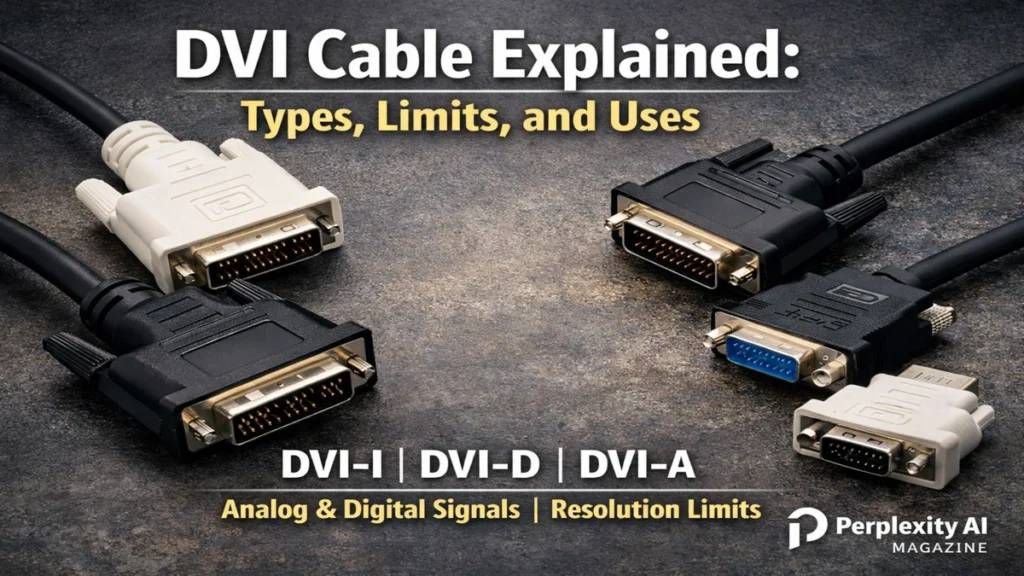
DVI-I supports both digital and analog signals. It can adapt to VGA or HDMI with the correct adapter, making it versatile for mixed environments. DVI-D carries digital signals only and is the most common type used with LCDs and projectors. DVI-A is analog-only and effectively a bridge to VGA displays. DVI-D Dual-Link expands bandwidth for higher resolutions by doubling data channels.
Read: BitLocker Recovery Key: How to Find and Restore Access
This modularity made DVI flexible but also confusing. Plugging the wrong cable into the wrong port often results in no signal at all.


4
Pin Layout and What It Reveals
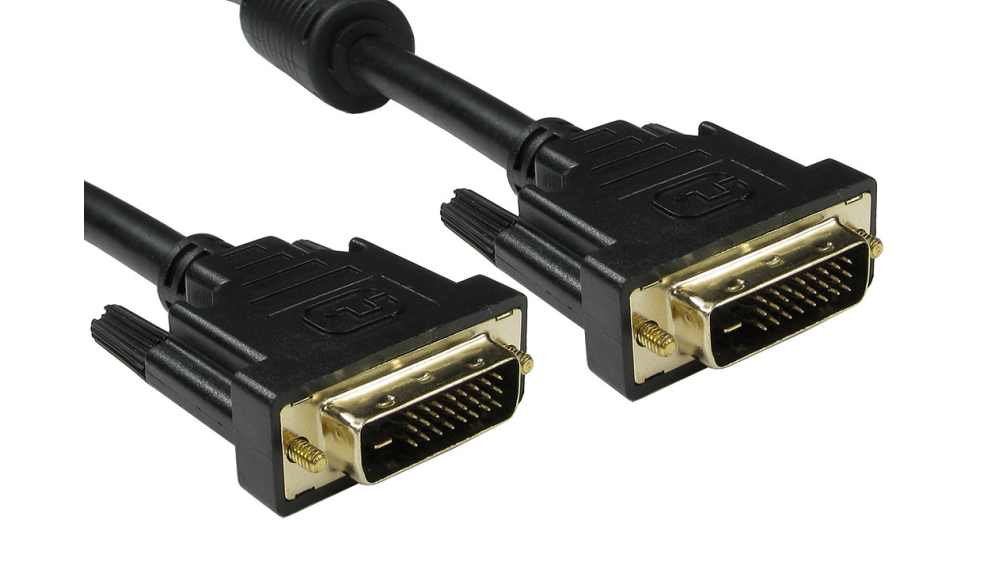
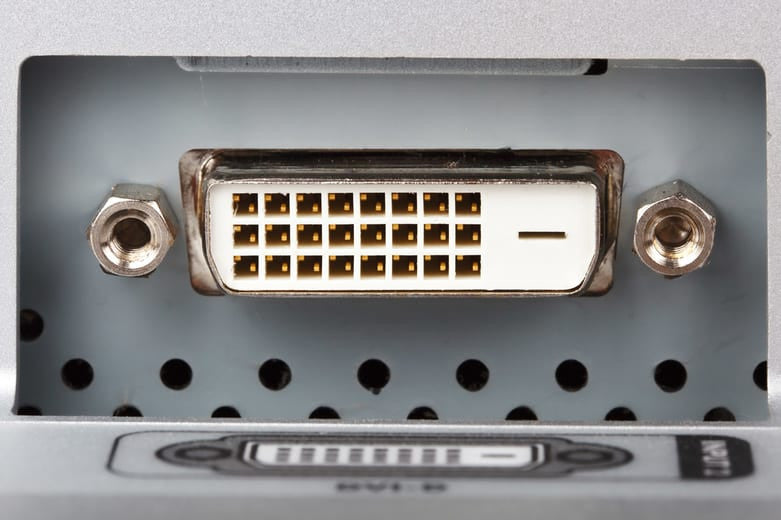
Pin layout visually distinguishes DVI types. Single-link DVI-D uses 18 pins plus a flat blade, arranged in two clusters. Dual-link adds six pins in the center, creating three full rows. These extra pins are not decorative. They carry additional data lanes required for higher resolutions.
A common mistake is assuming all DVI cables are interchangeable. They are not. A single-link cable physically fits into a dual-link port but cannot deliver the same performance.
Hardware reviewer Anand Lal Shimpi once noted that many display complaints traced back not to GPUs or monitors but to mismatched cables.


Bandwidth and Performance Limits
DVI’s performance is governed by bandwidth. Single-link DVI-D supports up to 165 MHz per TMDS link, translating to resolutions like 1920×1200 at 60 Hz. Dual-link doubles that capacity, enabling 2560×1600 at 60 Hz or higher refresh rates at 1080p.
While impressive for its era, these limits explain why DVI faded as displays evolved. Modern monitors routinely exceed these specifications.
Still, for standard office resolutions, DVI remains perfectly adequate.

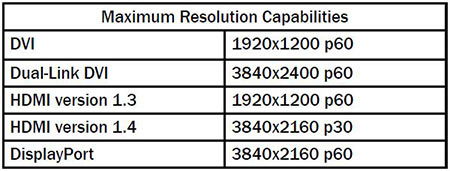
Table: Single-Link vs Dual-Link DVI
| Feature | Single-Link DVI-D | Dual-Link DVI-D |
|---|---|---|
| Pins | 18+1 | 24+1 |
| Max Resolution | 1920×1200 @60Hz | 2560×1600 @60Hz |
| Bandwidth | 4.59 Gbps | 9.9 Gbps |
| Compatibility | Fits dual-link ports | Backward-compatible |

Common Uses in the Modern World
Despite being labeled legacy, DVI persists. Many older monitors in offices, schools, and industrial settings rely on it. KVM switches, medical equipment displays, and control systems often standardize on DVI because of its stability.
Unlike HDMI, DVI does not transmit audio. That limitation is irrelevant in environments where sound is handled separately. Its digital purity and lack of copy protection overhead can even be an advantage.
IT administrator forums frequently mention DVI as a dependable fallback when newer standards introduce handshake issues.


Cable Length and Signal Degradation
DVI cable length matters. Digital signals degrade over copper, especially at higher resolutions. For single-link DVI at 1920×1200, reliable passive cable length tops out around five meters. Lower resolutions extend farther.
Dual-link DVI pushes more data, shortening reliable runs. High-quality shielding and thicker gauge cables help, but physics imposes limits.
Signal failure typically appears as flickering, sparkles, or complete dropout, warning signs that the run is too long.


Table: Practical DVI Cable Lengths
| Resolution @60Hz | Single-Link | Dual-Link |
|---|---|---|
| 1280×1024 | 15 m | 15 m+ |
| 1920×1080/1200 | 5 m | 10 m |
| 2560×1600 | Not supported | 5–7.5 m |


Boosters and Repeaters
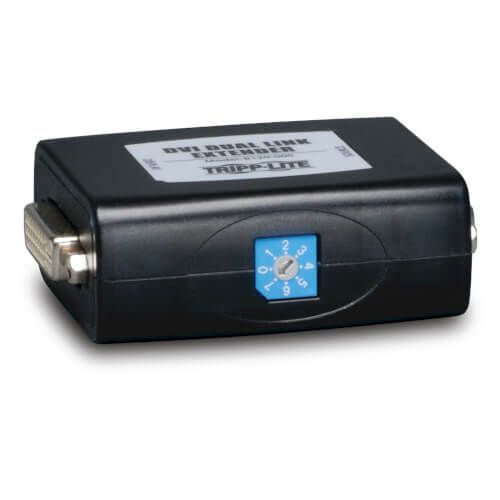
When distance exceeds passive limits, DVI boosters and repeaters come into play. Boosters amplify signals inline, while repeaters regenerate and re-clock them, cleaning jitter.
Powered repeaters are more reliable for demanding runs. They are common in classrooms, conference halls, and control rooms where displays sit far from sources.
AV integrator Brent McIntyre has described repeaters as the unsung heroes of legacy video infrastructure.

DVI Versus HDMI and DisplayPort
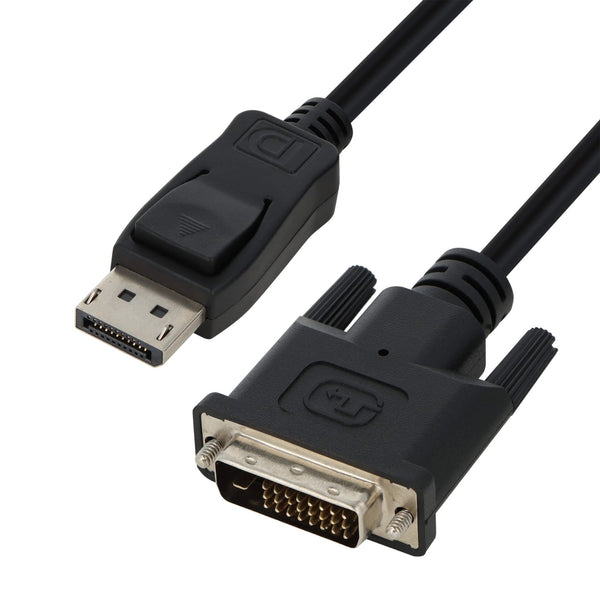
DVI’s successors solved its limitations. HDMI added audio and consumer electronics support. DisplayPort expanded bandwidth, refresh rates, and daisy-chaining.
Yet DVI’s simplicity remains appealing. No audio, no networking, no complex handshakes. Just pixels.
This clarity explains why DVI is still sold for under $20 at major retailers.


Takeaways
- DVI delivers clean digital video without audio.
- Four variants exist, each serving different needs.
- Dual-link supports higher resolutions than single-link.
- Cable length is limited by bandwidth and quality.
- Boosters extend runs in professional setups.
- DVI remains useful for legacy hardware.

Conclusion
I see the DVI cable as a quiet survivor. It lacks the sleek branding of HDMI or the technical ambition of DisplayPort, yet it continues to perform its single task with precision. For older monitors and specialized environments, it remains indispensable.
Technology rarely disappears overnight. Standards fade gradually, leaving behind tools that still work. DVI is one of those tools. Understanding its capabilities and limits allows users to make informed choices, whether maintaining legacy systems or bridging generations of hardware.
FAQs
Does DVI carry audio?
No. DVI transmits video only. Audio requires a separate cable.
Can DVI connect to HDMI displays?
Yes, with an adapter, but audio will not pass through.
Is dual-link DVI better than single-link?
Yes, for higher resolutions and refresh rates.
Are DVI cables directional?
Some DVI-to-HDMI adapters are directional. Check markings.
Is DVI still worth using?
For legacy monitors and stable setups, yes.