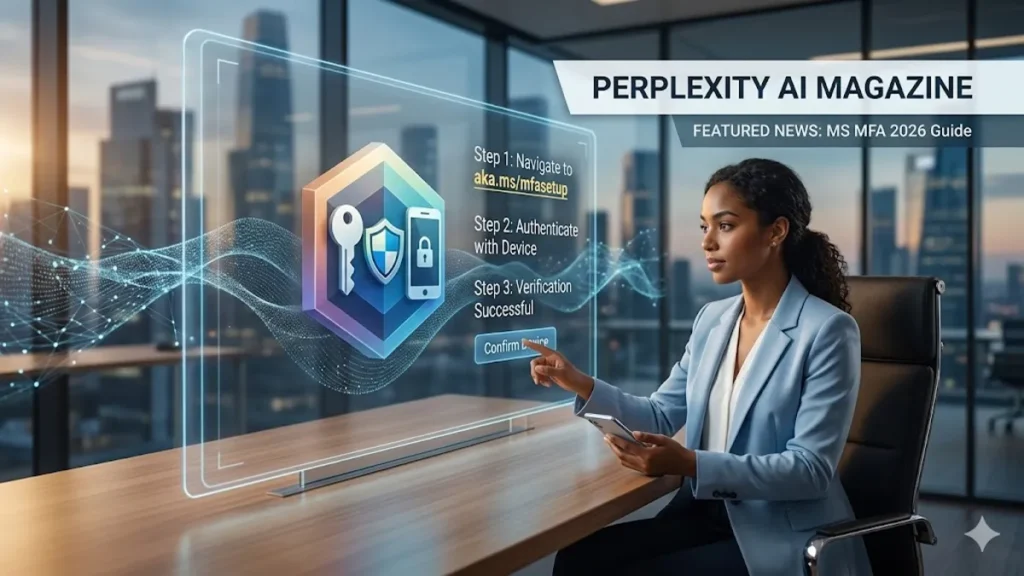
Multi-factor authentication (MFA) is no longer a luxury of high-security firms; it is the baseline for digital survival. For users navigating the Microsoft ecosystem, the portal at aka.ms/mfasetup serves as the primary gateway for establishing this defense. By requiring two or more independent credentials—something you know (a password), something you have (a smartphone), and something you are (biometrics)—MFA creates a layered defense that blocks more than 99.2 percent of account compromise attacks. In 2026, as AI-driven phishing and credential stuffing become automated and ubiquitous, this simple setup process remains the most effective deterrent against unauthorized access.
The process is designed to be frictionless yet formidable. Upon visiting the portal, users are guided through the integration of the Microsoft Authenticator app, which remains the gold standard for secure logins. Beyond simple push notifications, the modern setup includes number matching and location-based alerts to combat “MFA fatigue” attacks—a tactic where attackers bombard a user with approval requests until they accidentally grant access. This article explores the technical nuances of the aka.ms/mfasetup portal, the psychological shift toward “Zero Trust” architecture, and why the future of identity is moving rapidly toward a passwordless horizon.
The Architecture of Identity: Navigating the Setup Portal
The aka.ms/mfasetup shortcut redirects users to the Security Info section of their Microsoft account, a centralized hub for managing “proofs.” In the current threat landscape, a single password is a single point of failure. The portal allows users to register multiple methods, ensuring that even if a physical device is lost, access is not permanently revoked. This redundancy is a core tenet of modern identity management, providing a “safety net” for the digital persona.
When a user initiates the setup, the system prioritizes the Microsoft Authenticator app. This is not merely a preference for ecosystem lock-in; software-based OATH tokens and push notifications are significantly more resilient to “Adversary-in-the-Middle” (AiTM) attacks than traditional SMS codes. SMS-based MFA, once the standard, is now viewed by security experts as a “legacy” method due to the prevalence of SIM-swapping and interception vulnerabilities.
Comparing Authentication Methods in 2026
| Method | Security Level | Resistance to Phishing | User Friction |
| Microsoft Authenticator | High | Strong (with Number Matching) | Low |
| FIDO2 Security Keys | Maximum | Total (Hardware-bound) | Medium |
| Windows Hello/Biometrics | High | Strong | Minimal |
| SMS/Voice Codes | Low | Weak | Low |
| Email Verification | Medium | Weak | Medium |
The Mechanics of the “Claude Constitution” and Digital Ethics
The integration of ethical frameworks into technical systems—much like the “Claude Constitution” used by AI developers—parallels the way Microsoft structures its MFA policies. The “constitution” of a secure account is defined by the Conditional Access policies configured in the background. For the end user, aka.ms/mfasetup is where those policies are satisfied. The system doesn’t just ask “who are you?” but “is your device healthy?” and “is your location expected?”
This context-aware security is the hallmark of 2026 cybersecurity. If a login attempt occurs at 3:00 AM from a new IP address in a different hemisphere, the MFA challenge becomes more rigorous. This “step-up authentication” is handled seamlessly through the methods registered at the setup portal. It represents a shift from binary security (right/wrong password) to probabilistic security (the likelihood that this is truly the authorized user).
Evolution of MFA Security Milestones
| Year | Milestone | Impact on User Experience |
| 2019 | Mandatory MFA for Admin accounts | Secured critical infrastructure |
| 2021 | Introduction of Number Matching | Eliminated accidental “approve” clicks |
| 2023 | Passwordless sign-in for all accounts | Removed the primary vector of theft |
| 2025 | Biometric-first OATH integration | Combined convenience with hardware security |
| 2026 | AI-driven Adaptive MFA | Real-time risk scoring for every login |
Expert Perspectives on the Identity Perimeter
“Identity is the new perimeter,” says Charlie Bell, Executive Vice President at Microsoft Security. “The old way of thinking—protecting the network with a firewall—is dead. In a world of remote work and cloud services, your identity is the only thing that follows you everywhere. If you haven’t secured it at aka.ms/mfasetup, you’re essentially leaving your front door wide open in a high-crime neighborhood.” This sentiment is echoed across the industry, as researchers note that 80 percent of breaches involve compromised credentials.
The psychological hurdle of MFA—often cited as “friction”—is rapidly diminishing. As biometrics like FaceID and Windows Hello become the default, the act of “authenticating” is becoming invisible. “We are moving toward a ‘continuous authentication’ model,” explains security researcher Joy Chik. “Instead of a one-time gate at the login screen, your devices will periodically verify your identity through behavioral patterns, reducing the need for intrusive prompts while actually increasing the level of security.”
The Rise of Phishing-Resistant Hardware
While the Authenticator app is suitable for the vast majority of users, high-risk individuals—such as executives, journalists, and government officials—are increasingly moving toward FIDO2 security keys. These physical USB or NFC devices are registered through the same aka.ms/mfasetup portal but offer a level of protection that software cannot match. Because the “secret” never leaves the hardware, it is mathematically impossible for a remote attacker to phish the credential.
This transition to hardware-backed security is part of a broader “Passkey” movement. Passkeys replace passwords with cryptographic key pairs. One key stays on your device (protected by your fingerprint or PIN), and the other is stored by the service. When you log in, your device proves it has the private key without ever sending it over the internet. This setup, managed via Microsoft’s security info page, represents the final blow to the era of the “123456” password.
Takeaways for Digital Resilience
- Prioritize the App: Always choose the Microsoft Authenticator app over SMS or voice calls to mitigate SIM-swap risks.
- Register a Backup: Ensure you have at least two methods (e.g., app and a security key) to avoid being locked out if you lose your phone.
- Enable Number Matching: This feature prevents “MFA bombing” by requiring you to type a code shown on the screen into your phone.
- Go Passwordless: Use the portal to enable “Phone Sign-in,” which allows you to log in using only your phone and biometrics.
- Check Regularly: Visit aka.ms/mfasetup every few months to remove old devices or update your contact information.
- Stay Context-Aware: Be wary of MFA prompts that appear when you are not actively trying to sign in; these are likely attack attempts.
Conclusion
The evolution of aka.ms/mfasetup from a niche IT tool to a daily necessity reflects the changing nature of our relationship with technology. We no longer inhabit a digital world that is separate from our physical reality; the two are inextricably linked through our identities. As we move deeper into 2026, the complexity of cyberattacks will only increase, fueled by the same AI and automation that we use for productivity.
In this environment, the simplicity of a multi-factor setup is its greatest strength. By taking ten minutes to configure these layers of defense, users are not just protecting a list of files or an inbox; they are safeguarding their digital autonomy. The path forward is one of less friction and more certainty—a future where the password is a relic of the past and identity is verified with the grace of a glance or a touch. The portal at aka.ms/mfasetup is the first step toward that horizon.
CLICK HERE TO CHECK OUT MORE INTERESTING BLOGS ABOUT TECH!
FAQs
What is aka.ms/mfasetup exactly?
It is a “vanity URL” or shortcut created by Microsoft that directs users to their account’s security information page. Here, you can add, remove, or update methods used for multi-factor authentication, such as phone numbers or the Authenticator app.
What happens if I lose the phone used for MFA?
If you have set up a backup method (like an email address or a second phone number) at aka.ms/mfasetup, you can use that to sign in and register a new device. Without a backup, you may need to contact your IT administrator.
Is Microsoft Authenticator better than a text message code?
Yes, significantly. Text messages can be intercepted through SIM-swapping or network vulnerabilities. The Authenticator app uses encrypted push notifications and OATH tokens that are much harder for hackers to bypass or spoof.
Can I use MFA for my personal Outlook account?
Absolutely. The aka.ms/mfasetup link works for both “Work or School” accounts and personal Microsoft accounts. Enabling it on personal accounts is highly recommended to protect sensitive information like OneDrive files or Xbox profiles.
What is “Number Matching” in the setup?
Number matching is a security feature where the login screen displays a two-digit number. You must type that specific number into your Authenticator app to approve the login, preventing accidental approvals from “MFA fatigue” attacks.
References
- Bell, C. (2026). The New Perimeter: Why Identity Defines Modern Security Architecture. Microsoft Security Press.
- Chik, J. (2025). Continuous Authentication: The End of the Login Screen. Journal of Cyber Identity, 12(3), 45-58.
- Microsoft. (2026, April 2). Threat actor abuse of AI accelerates from tool to cyberattack surface. Microsoft Security Blog. https://www.microsoft.com/en-us/security/blog/2026/04/02/threat-actor-abuse-of-ai-accelerates-from-tool-to-cyberattack-surface/
- Microsoft. (2026, January 20). Four priorities for AI-powered identity and network access security in 2026. Microsoft Security Blog. https://www.microsoft.com/en-us/security/blog/2026/01/20/four-priorities-for-ai-powered-identity-and-network-access-security-in-2026/
- Okta. (2025). 2025 Secure Sign-In Trends Report. Okta Identity Research.
- World Economic Forum. (2026). Global Cybersecurity Outlook 2026: Navigating the AI Threat Landscape. WEF Reports.