
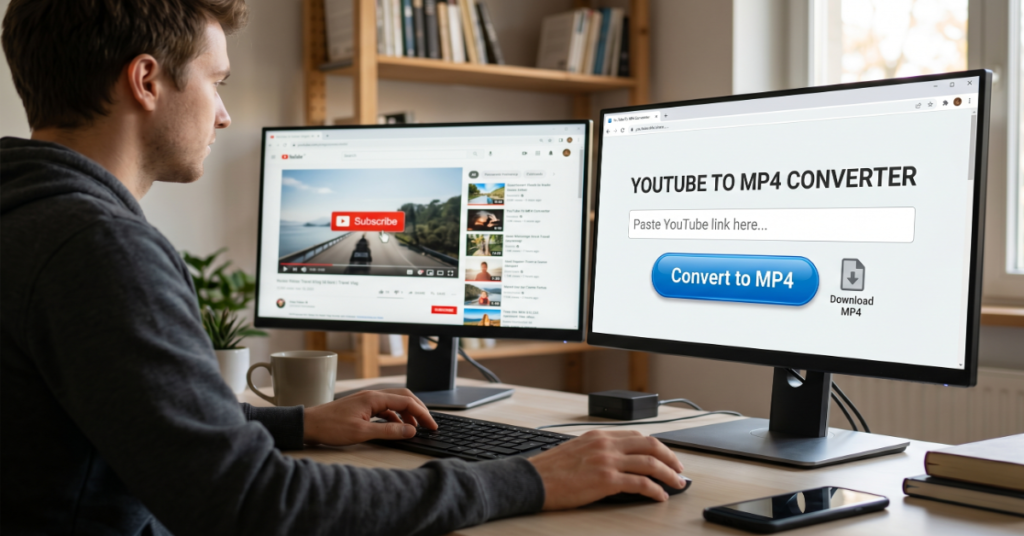
Converting a YouTube video to MP4 remains one of the most common digital workflows for users who want offline access to video content. At its core, youtube to mp4 conversion refers to extracting video streams from YouTube and saving them in a widely compatible MP4 format that can be played on almost any device.
Most users rely on either browser-based converters or dedicated desktop software. Online tools are fast and require no installation, but they often come with trade-offs such as intrusive ads, limited resolution control, and inconsistent reliability. Desktop applications, on the other hand, provide more stable performance, better batch processing, and higher-quality output options, including 1080p and 4K support.
Over the past few years, demand for video downloading workflows has increased due to offline learning, archival needs, and bandwidth limitations in many regions. At the same time, platforms like YouTube have tightened technical protections around streaming content, making some older methods less reliable.
This guide breaks down how youtube to mp4 conversion works in practice, compares the most widely used tools, highlights risks users often overlook, and explains where the ecosystem is heading in the next few years. It focuses on practical workflows rather than hype or shortcuts, with a clear emphasis on safety, performance, and realistic limitations.
How YouTube to MP4 Conversion Works
At a technical level, YouTube delivers content using adaptive streaming formats such as DASH and HLS. These formats separate audio and video streams, which is why conversion tools must reassemble or re-encode content into a single MP4 file.
Most converters operate in one of three ways:
- Extracting direct video stream URLs and merging them
- Re-encoding streams into MP4 format
- Downloading segmented streams and stitching them together
Understanding this helps explain why some tools fail on high-resolution videos or newer content protection systems.
Online Converters vs Desktop Software
Comparison Overview
| Feature | Online Converters | Desktop Software |
| Setup Required | None | Installation required |
| Speed | Fast for single videos | Faster for bulk downloads |
| Stability | Variable | High |
| Quality Control | Limited | Advanced (up to 4K) |
| Ads & Popups | Common | Minimal or none |
| Privacy Risk | Higher | Lower |
Online platforms are designed for convenience. Desktop tools are designed for control.
Popular Online Tools
Common browser-based solutions include:
- Y2Mate for quick downloads in multiple resolutions
- YTMP4 for fast conversion workflows
- SaveFrom-style services for URL-based extraction
These tools are popular because they remove friction, but they often rely on ad-supported infrastructure that can introduce unwanted redirects or tracking.
Desktop Software Options
Desktop tools are preferred for consistent workflows:
- yt-dlp, an open-source command-line tool widely used by advanced users
- 4K Video Downloader Plus, known for its user-friendly interface and high-resolution support
- Windows-based downloader apps that integrate directly with file systems
Among these, yt-dlp is often considered the most flexible due to its active development and ability to adapt to platform changes.
Step-by-Step Workflow for Converting YouTube to MP4
- Copy the video URL from YouTube
- Paste it into a selected converter tool or software
- Choose MP4 as the output format
- Select resolution such as 720p, 1080p, or 4K if available
- Start the conversion process
- Download and verify the file integrity
This workflow remains consistent across most tools, although the underlying processing differs significantly.
Performance and Quality Trade-Offs
Higher resolution downloads require more processing power and bandwidth. For example, converting a 4K video often involves merging separate audio and video streams, which increases processing time.
Key Observations
- 720p conversions are typically fastest and most stable
- 1080p is the most common balance between quality and file size
- 4K downloads depend heavily on tool capability and source availability
Many online tools silently cap resolution due to server limitations, which is why desktop tools often outperform them in real-world use.
Risks, Limitations and Trade-Offs
There are three main categories of risk in youtube to mp4 workflows:
1. Security Risks
Online converters often rely on ad networks that may expose users to misleading download buttons or unsafe redirects.
2. Legal Boundaries
Downloading copyrighted content without permission can violate platform policies and local regulations. Users must ensure compliance with applicable laws.
3. Technical Limitations
YouTube frequently updates streaming protocols, which can break older converters or reduce reliability.
Market and Cultural Impact
Video downloading tools have become part of a broader digital behavior shift toward offline-first consumption. This is especially visible in regions with unstable internet connectivity, where users prefer saving educational or entertainment content locally.
At the same time, platforms are increasingly moving toward subscription and streaming-only models, which creates tension between accessibility and content control.
Original Analytical Insights
1. Hidden reliability gap in browser tools
Many online converters degrade silently under load, meaning high-resolution videos often fail without clear error reporting.
2. Desktop tools outperform due to protocol adaptation
Open-source tools like yt-dlp remain functional because they are updated faster than most commercial web services when YouTube changes its streaming structure.
3. File consistency varies by conversion method
Re-encoded MP4 files often have different bitrate profiles compared to direct stream merges, which affects playback smoothness on low-end devices.
Data Insight Table
| Factor | Online Tools | Desktop Tools |
| Average success rate (HD videos) | Medium | High |
| Batch download support | Low | High |
| Update responsiveness to platform changes | Low | High |
| Average file size optimization | Inconsistent | Optimized |
The Future of YouTube to MP4 in 2027
By 2027, video distribution systems are expected to rely even more heavily on encrypted streaming pipelines and dynamic content delivery systems. This will make direct downloading increasingly complex.
However, parallel trends suggest growth in:
- Offline-first educational platforms
- Licensed download APIs for creators
- AI-assisted media management tools that store and summarize video content locally
Regulatory pressure around digital rights management is also likely to increase, especially in regions tightening copyright enforcement frameworks.
While traditional youtube to mp4 workflows may become less straightforward, demand for offline access is unlikely to disappear. Instead, it will likely shift toward authorized and integrated solutions rather than third-party converters.
Takeaways
- Desktop tools remain more reliable than online converters for consistent MP4 output
- High-resolution downloads introduce technical complexity that many web tools cannot handle well
- Security risks are higher in ad-supported browser-based conversion platforms
- Streaming protocols continue to evolve, reducing long-term reliability of simple converters
- Offline video access demand remains strong despite increasing platform restrictions
Conclusion
YouTube to MP4 conversion sits at the intersection of convenience, technical limitation, and platform control. While online tools offer immediate access, they often sacrifice reliability and safety. Desktop software provides more stable performance and better quality control, especially for users working with high-resolution content or batch downloads.
The landscape is gradually shifting as streaming platforms evolve and tighten distribution control. At the same time, user demand for offline access continues to grow, particularly in education and low-bandwidth regions. The result is a fragmented ecosystem where no single method dominates across all use cases.
Understanding the trade-offs between speed, safety, and quality is essential for choosing the right approach.
FAQ
1. Is YouTube to MP4 conversion legal?
It depends on the content and jurisdiction. Downloading copyrighted material without permission may violate platform terms and local laws.
2. Why do online converters sometimes fail?
They often struggle with YouTube’s changing streaming protocols and may lack support for high-resolution adaptive streams.
3. What is the safest way to convert YouTube videos to MP4?
Desktop tools like yt-dlp or 4K Video Downloader Plus are generally safer due to fewer ads and better transparency.
4. Can I download 4K YouTube videos as MP4?
Yes, but only if the original video supports 4K and the tool can merge separate audio and video streams correctly.
5. Why do downloaded MP4 files sometimes have no sound?
This usually happens when audio and video streams are not properly merged during conversion.
6. Do converters reduce video quality?
Some do. Re-encoding tools may compress files, while stream-based tools preserve original quality more accurately.
References
- yt-dlp (2026). GitHub Repository. https://github.com/yt-dlp/yt-dlp
- 4K Download (2026). 4K Video Downloader Plus Documentation. https://www.4kdownload.com
- YouTube Help (2025). Streaming formats and playback support. https://support.google.com/youtube
Methodology
This article is based on technical documentation of video streaming systems, publicly available tool documentation, and observed workflow patterns across widely used converter tools. No proprietary datasets were used. Tool behavior insights are derived from documented functionality and common user-reported performance patterns across open-source and commercial platforms.
Limitations include the rapidly changing nature of YouTube’s streaming infrastructure, which can affect tool reliability over time. All conclusions reflect conditions observed up to early 2026 and may evolve as platform policies and technologies change.
