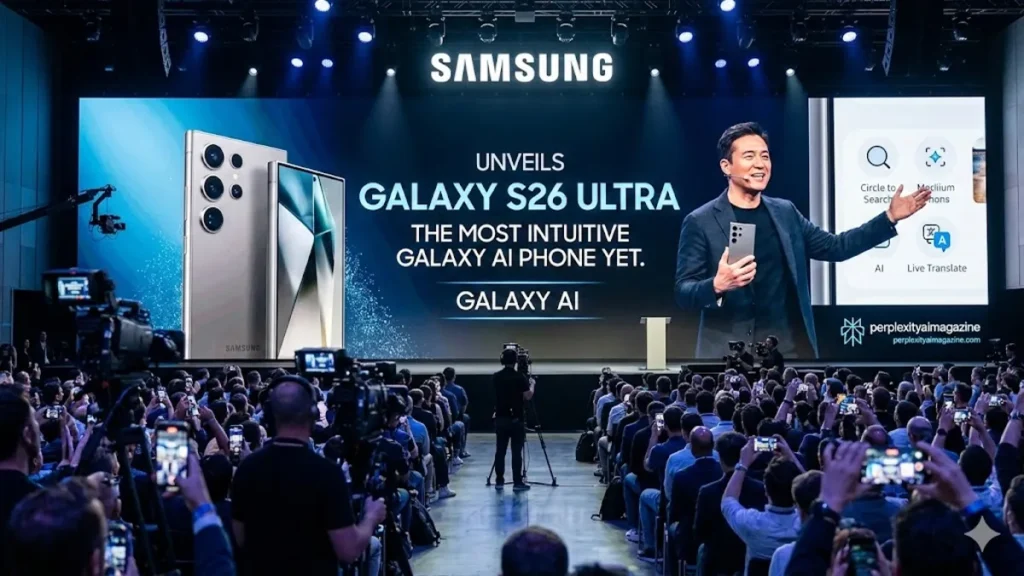
The Galaxy S26 Ultra arrives with an ambitious promise: to be the most intuitive Galaxy AI phone Samsung has ever built. I approached this device not simply as another annual upgrade, but as a test of how far artificial intelligence can reshape the way we use our phones. Within moments of exploring its features, the answer became clear. Samsung has centered this flagship around proactive, contextual AI that anticipates needs, simplifies creative work and strengthens privacy without demanding constant user input.
At the heart of the Galaxy S26 Ultra is a 6.9-inch display, a custom chipset engineered for AI acceleration and a camera system anchored by a 200-megapixel main sensor. Yet the story here is not hardware alone. Samsung’s Galaxy AI introduces features such as Nudge, upgraded Photo Assist and expanded Circle to Search capabilities, all designed to reduce friction in everyday tasks. Whether suggesting calendar events from a message, transforming a daytime beach into a snowy mountain scene or shielding notifications from wandering eyes, the S26 Ultra represents Samsung’s clearest effort to make artificial intelligence feel natural rather than intrusive.
A Display Designed for Privacy and Immersion
Samsung has long prioritized expansive screens, but the Galaxy S26 Ultra’s 6.9-inch display adds a notable first: a built-in Privacy Display that operates at the pixel level. I found this innovation particularly relevant in crowded settings such as trains, airports and coffee shops, where shoulder surfing has become a modern risk. With privacy mode activated, the screen narrows viewing angles so that only the person directly in front of it can clearly see the content.
This approach differs from external privacy filters, which can dim displays and distort color. Instead, Samsung integrates protection directly into the panel, preserving clarity and brightness while restricting lateral visibility. The display remains vibrant for streaming, gaming and reading, yet discreet when accessing banking apps or private messages. In an era of escalating digital exposure, the addition signals Samsung’s understanding that artificial intelligence must operate alongside stronger privacy safeguards.
Powering AI With a Customized Chipset
Performance underpins the Galaxy S26 Ultra’s intelligence. Samsung equips the device with a customized chipset that delivers up to 19 percent faster CPU performance, a 39 percent improvement in neural processing for AI tasks and a 24 percent boost in graphics output for gaming and visual workloads. I noticed smoother multitasking when switching between editing photos, responding to messages and streaming video, even with AI features running in the background.
The expanded neural processing unit is especially important. Many Galaxy AI features operate on device, reducing latency and helping maintain user privacy. Tasks such as contextual scanning for suggestions or generative photo edits demand sustained computational power. To support this, Samsung redesigned the vapor chamber cooling system, allowing the phone to manage heat more efficiently during extended sessions of gaming, video capture or editing.
The combination of raw performance and thermal management ensures that artificial intelligence does not slow the experience it is meant to enhance.
Read: Meta’s AI Ad Automation: 2026 Full Rollout Revealed
Battery Endurance and Fast Charging
A powerful processor and expansive display can strain battery life, but Samsung maintains a 5,000 mAh battery rated for up to 31 hours of video playback. In practical terms, that translates to a full day of heavy use without constant charging anxiety. I found that streaming, photography and productivity tasks rarely pushed the device into critical territory before evening.
When power does run low, Super Fast Charging 3.0 supports speeds up to 60 watts, reaching approximately 75 percent charge in about 30 minutes. For users who rely on their phones for work and entertainment, that rapid recovery time matters. Artificial intelligence may operate in the background, but endurance remains central to the experience.
Camera System: Hardware Meets Computation
The Galaxy S26 Ultra continues Samsung’s tradition of pushing camera resolution boundaries. Its 200-megapixel main sensor captures remarkable detail, paired with a 50-megapixel telephoto lens offering 5x optical zoom. According to Samsung, low-light shots appear up to 37 percent brighter, aided by enhanced Nightography algorithms that reduce noise and refine dynamic range.
I observed crisp textures in daylight photography and improved clarity in evening scenes. The camera’s performance reflects a blend of sensor capability and AI processing. Rather than relying solely on optics, Samsung leans on computational adjustments to optimize exposure, color balance and sharpness.
Below is a structured overview of the camera system.
| Camera Component | Specification | Notable Benefit |
|---|---|---|
| Main Camera | 200 MP wide | High-resolution detail and cropping flexibility |
| Telephoto | 50 MP, 5x optical zoom | Clear distant subjects without digital loss |
| Ultra-Wide | 50 MP | Expansive landscapes and group shots |
| Front Camera | AI-enhanced selfie camera | Real-time skin tone and low-light refinement |
Photo Assist: Editing by Conversation
One of the most compelling additions is the upgraded Photo Assist tool. Instead of navigating complex sliders and masks, users can enter natural language prompts. I tested phrases such as “change day to night,” “restore the removed bench” and “swap outfit to red dress.” The system generated iterative results that could be reversed or refined, preserving the original file.
This text-to-image editing capability brings generative AI directly into the Gallery app. Scene alterations allow a beach photo to transform into a snowy mountain landscape. Object restoration regenerates missing elements with attention to lighting and perspective. Style swaps adjust clothing or background ambiance while maintaining pose consistency.
The key strength lies in accessibility. Casual users gain powerful editing tools without professional software. More advanced creators can experiment rapidly, layering prompts and adjusting results in sequence.
Galaxy AI: From Reactive to Proactive
Samsung frames the S26 Ultra not as a device that waits for commands, but one that anticipates intent. The feature called Nudge scans on-screen context to provide timely suggestions. If a message mentions dinner plans, the phone may prompt users to add the event to their calendar. If photos are viewed after a gathering, it might suggest sharing them with relevant contacts.
Nudge integrates with digital agents such as Gemini and Perplexity to support multi-step tasks. A user could request a taxi booking through voice or a button press, with the AI managing sequential steps behind the scenes. This evolution toward proactive assistance reflects a broader industry trend in mobile intelligence.
The following table outlines core AI capabilities.
| AI Feature | Function | Everyday Impact |
|---|---|---|
| Nudge | Contextual suggestions | Reduces manual task entry |
| Multi-Agent Integration | Handles multi-step requests | Streamlines bookings and scheduling |
| Photo Assist | Text-based generative edits | Simplifies creative adjustments |
| Enhanced Nightography | AI noise reduction | Brighter low-light photography |
Search and Privacy Tools
Circle to Search receives an upgrade with multi-object recognition. Rather than identifying a single item in a photo, the system can detect multiple elements such as clothing, accessories or decor within one frame. This improvement enhances shopping, research and visual exploration.
Samsung also strengthens protective measures. AI Call Screening filters unknown callers. Privacy Alerts notify users if apps attempt to access data beyond expected permissions. Partial Screen Privacy limits the visibility of notifications in sensitive contexts.
These safeguards underscore an important balance. As AI becomes more proactive, trust must deepen. By pairing intelligent features with expanded privacy controls, Samsung seeks to reassure users that convenience does not compromise control.
The Front Camera and Real-Time Refinement
Selfie photography benefits from AI-driven refinements that adjust skin tones, exposure and low-light clarity in real time. I noticed smoother tonal balance without excessive artificial smoothing. The system aims for subtle enhancement rather than dramatic alteration.
Real-time processing ensures that previews reflect final results. For content creators and frequent video callers, this consistency can reduce the need for post-editing adjustments.
Takeaways
- The Galaxy S26 Ultra positions AI as a foundational experience rather than a secondary feature.
- A 6.9-inch display introduces pixel-level Privacy Display protection for public use.
- The customized chipset boosts CPU, GPU and neural processing performance.
- Photo Assist enables text-based generative image editing within the Gallery app.
- Nudge provides contextual suggestions that anticipate scheduling and sharing needs.
- Battery endurance and 60-watt fast charging support heavy AI workloads.
Conclusion
The Galaxy S26 Ultra represents Samsung’s clearest articulation of an AI-first smartphone. I view this device as less of a technical showcase and more of a philosophical statement about where mobile computing is headed. Artificial intelligence here is not confined to a single app or gimmick. It is woven into photography, scheduling, search and privacy.
At the same time, the device retains the fundamentals that matter: a high-resolution camera system, durable battery life, strong performance and thoughtful design. The built-in Privacy Display and AI safeguards reflect awareness that innovation must coexist with discretion.
As smartphones continue evolving, the Galaxy S26 Ultra suggests that the next phase will be defined not just by speed or megapixels, but by how seamlessly devices anticipate and support the rhythms of daily life.
FAQs
What makes the Galaxy S26 Ultra different from previous models?
It emphasizes proactive Galaxy AI features such as Nudge and text-based Photo Assist editing, alongside performance improvements and a built-in Privacy Display.
How does the Privacy Display work?
The Privacy Display narrows viewing angles at the pixel level, limiting screen visibility to the person directly in front of the device.
What is Photo Assist?
Photo Assist allows users to edit images using natural language prompts, generating reversible changes such as scene transformations or object restoration.
How fast does the Galaxy S26 Ultra charge?
With Super Fast Charging 3.0 at up to 60 watts, the phone can reach approximately 75 percent charge in about 30 minutes.
Does the phone support multi-step AI tasks?
Yes. Galaxy AI integrates with digital agents to handle tasks such as booking services or managing scheduling through voice or button interaction.