
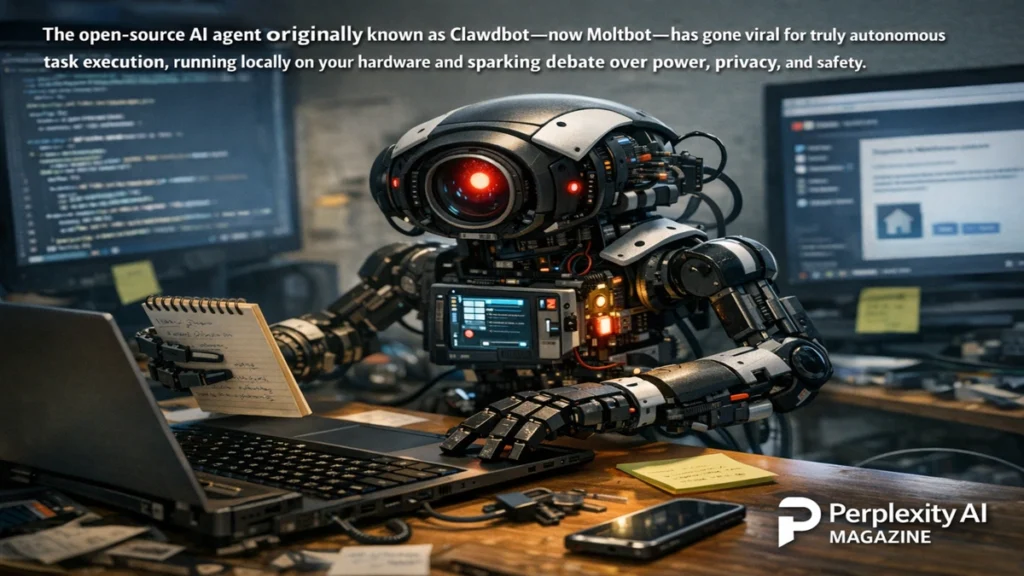
Over a single weekend, the internet latched onto a new idea about artificial intelligence, and it wasn’t another chatbot. It was something closer to an assistant that actually does things. Clawdbot, recently renamed Moltbot, surged through developer communities, timelines, and forums because it promised what many AI tools have hinted at but rarely delivered: genuine autonomy. Instead of responding politely to prompts, this AI agent runs on your own machine, watches your digital environment, and takes action without being asked every step of the way.
Within days, screenshots of inboxes sorted automatically, morning briefings pushed to messaging apps, and scripts quietly running in the background spread across social platforms. Enthusiasts talked about delegating digital chores to an always-on assistant. Skeptics warned about security risks. Somewhere in between, a broader audience began to grasp what “agentic AI” actually looks like in practice.
Clawdbot’s rise reflects a deeper shift in expectations. After years of conversational AI that could explain, summarize, and brainstorm, many users want systems that execute. Moltbot’s appeal lies in its local-first design, persistent memory, and system-level access, all of which combine to create a sense that the AI is not just reactive but proactive. This article explains what Moltbot is, how it works, why it went viral, and what its popularity reveals about the next phase of personal AI.
What Moltbot Is and Why It Feels Different
Moltbot, formerly known as Clawdbot, is an open-source AI agent designed to run entirely on a user’s own hardware. Unlike cloud-based assistants that live on remote servers, Moltbot installs locally on macOS, Windows, Linux, or even lightweight devices like a Raspberry Pi. That local presence is central to its identity and appeal.
What distinguishes Moltbot is not its language model, but its architecture. It combines reasoning engines with tools that can access files, emails, calendars, browsers, and system commands. The AI does not stop at suggesting actions. It executes them. It can scan your inbox, identify priority messages, organize folders, run scheduled scripts, and notify you through familiar messaging apps.
Persistent memory is another defining trait. Moltbot stores preferences, rules, and boundaries in simple markdown files. These files allow it to remember how you work, what you care about, and when it should act. Over time, the system adapts within those constraints, creating a sense of continuity that most chat-based AI lacks.
The result feels less like chatting with a bot and more like supervising an assistant. That shift in experience is the foundation of the hype.
The Agentic AI Concept Comes to Life
The term “agentic AI” has circulated in research papers and demos for years, often describing systems that can plan and act toward goals. Moltbot made that concept tangible. Instead of abstract examples, users could see emails sorted, reminders sent, and files moved in real time.
At its core, Moltbot operates as a loop. It observes inputs from connected systems, reasons about what matters based on stored preferences, and then uses tools to act. This loop can be triggered by schedules, events, or incoming data. The AI is not waiting passively for a prompt. It is watching for conditions it has been told to care about.
That behavior explains why many early adopters described it as “alive” or “working in the background.” The system’s autonomy, even within narrow boundaries, feels qualitatively different from chat interfaces. It reframes AI as infrastructure rather than conversation.
Read: Zero ROI From AI: Why CEOs See No Financial Returns Yet
Why the Internet Went Wild
Clawdbot’s viral moment was driven by timing as much as technology. In early 2026, frustration with overpromised AI agents was widespread. Many tools claimed autonomy but required constant supervision. Moltbot appeared as a counterexample.
Developers shared setups showing the agent running on inexpensive hardware, often a small desktop machine dedicated to the task. Others posted examples of morning summaries, inbox cleanups, and travel alerts delivered automatically through messaging apps. The tone of the conversation shifted from curiosity to adoption.
The local-first narrative amplified the buzz. At a time when concerns about data privacy and cloud dependence are high, Moltbot’s promise to keep data on-device resonated strongly. Users liked the idea that their assistant belonged to them, not to a platform.
The hype also carried a competitive undertone. Many posts framed Moltbot as proof that small, open-source projects could outperform heavily funded commercial agents in practical usefulness. That framing fueled further interest and experimentation.
How Moltbot Works Under the Hood
Moltbot is built around a gateway that runs continuously on the host machine. This gateway connects messaging platforms, system tools, and language models into a single orchestrated workflow. Messages from WhatsApp, Telegram, Discord, or other channels are treated as inputs, just like emails or calendar events.
Reasoning is handled by a language model, which can be local or cloud-based depending on configuration. The model interprets tasks and decides which tools to invoke. Those tools include browser control, file operations, shell command execution, and scheduling mechanisms similar to cron jobs.
Persistent memory files act as guardrails. They define what the AI should care about, what it should avoid, and how it should behave. Because these files are human-readable, users can audit and adjust the agent’s behavior directly.
A modular skills system extends functionality. Each skill teaches the agent how to perform a specific type of task, from organizing media files to interacting with external services. Skills are loaded dynamically based on the environment, allowing customization without modifying the core system.
Everyday Tasks Moltbot Can Handle
| Task Category | Examples | Outcome |
|---|---|---|
| Inbox Management | Prioritizing emails, summarizing threads | Reduced cognitive load |
| Scheduling | Calendar checks, reminders | Proactive notifications |
| File Operations | Sorting, renaming, backups | Automated organization |
| Web Interaction | Form filling, data extraction | Hands-free browsing |
These capabilities illustrate why users describe Moltbot as practical rather than impressive. It focuses on routine tasks that consume attention and time.
The Role of Messaging Interfaces
One reason Moltbot feels natural is its use of existing messaging apps as its interface. Instead of learning a new dashboard, users interact with the agent through tools they already use daily.
A request sent via WhatsApp can trigger a complex chain of actions, with results delivered back in the same channel. Notifications arrive where users already look, reducing friction. This design choice reinforces the idea of Moltbot as a background assistant rather than a destination app.
Messaging also makes the AI feel personal. Conversations unfold in familiar formats, blurring the line between human and machine interactions. That familiarity lowers the barrier to adoption.
Security and Privacy Concerns
The same features that make Moltbot powerful also raise red flags. Granting an AI agent access to emails, files, and shell commands is inherently risky. Misconfiguration or exposure can turn a helpful assistant into a serious vulnerability.
Security experts emphasize that local execution shifts responsibility to the user. While data is not automatically sent to a cloud provider, improper network exposure or weak authentication can create attack surfaces. Running such an agent requires discipline, isolation, and careful permission management.
There is also the risk of prompt injection through emails or web content. Because Moltbot reacts to external inputs, malicious instructions could be embedded in seemingly harmless messages. Mitigations exist, but they require active configuration and awareness.
The project’s creator has been candid about these risks, framing Moltbot as privileged infrastructure rather than a casual app. That honesty has earned respect but has not eliminated concern.
The Rebrand From Clawdbot to Moltbot
The transition from Clawdbot to Moltbot added another layer to the story. The original name drew attention but also legal scrutiny due to its similarity to existing AI branding. The rebrand was swift, pragmatic, and widely accepted by the community.
While some lamented the loss of a catchy name, most users focused on continuity of function. The episode highlighted the growing intersection between open-source innovation and intellectual property realities in the AI space.
It also underscored how quickly momentum can build around a project, and how fragile that momentum can be if not managed carefully.
Comparing Moltbot to Traditional Assistants
| Dimension | Traditional Assistants | Moltbot |
|---|---|---|
| Execution | Suggests actions | Performs actions |
| Hosting | Cloud-based | Local-first |
| Memory | Limited or opaque | Transparent, persistent |
| Control | Platform-owned | User-owned |
This comparison explains why Moltbot feels disruptive. It changes the balance of control between user and system.
What Experts Are Saying
“Agentic systems like this represent a turning point,” notes one AI researcher. “When AI can act autonomously, the question becomes governance, not capability.”
A security analyst adds, “Local-first doesn’t mean risk-free. It means the user is now the system administrator.”
A technology ethicist frames it more broadly. “Tools like Moltbot force us to confront what we actually want from AI. Convenience always comes with responsibility.”
Takeaways
- Moltbot demonstrates what agentic AI looks like in everyday use.
- Local execution appeals to users concerned about privacy and control.
- Persistent memory enables proactive behavior rather than reactive chat.
- Deep system access introduces real security risks.
- The project reflects growing demand for AI that executes, not just explains.
Conclusion
Moltbot’s sudden rise is not an accident. It reflects a collective impatience with AI that talks but does not act. By running locally, maintaining memory, and executing tasks autonomously, Moltbot offers a glimpse of a future where AI is less conversational and more operational.
That future is not without trade-offs. Autonomy amplifies both usefulness and risk. As tools like Moltbot spread, users will need to decide how much control they are willing to delegate and how much responsibility they are prepared to assume.
For now, Moltbot stands as a compelling experiment. It shows that when AI actually does something, people pay attention.
Frequently Asked Questions
What makes Moltbot different from chat-based AI?
It executes tasks autonomously rather than only responding with text.
Does Moltbot require cloud services?
No, it can run entirely locally, with optional cloud model connections.
Is Moltbot safe to use?
It can be, but only with careful configuration and security practices.
Why did Clawdbot change its name?
The project rebranded to avoid trademark conflicts.
Who is Moltbot best suited for?
Technically comfortable users who want a proactive AI assistant.
