
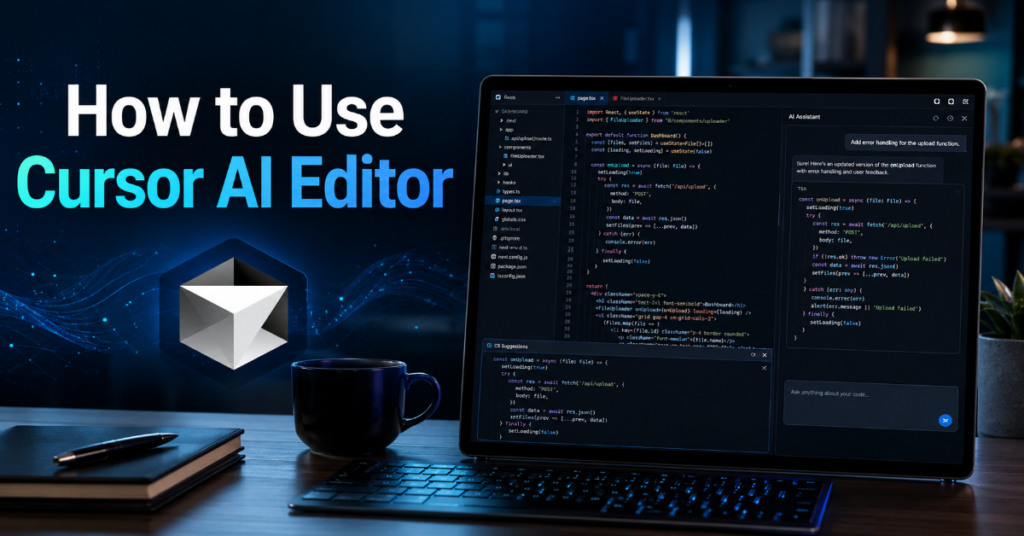
Learning how to use cursor ai editor in 2026 means learning a new kind of software workflow, not merely installing another code editor. Cursor began as a familiar Visual Studio Code-style environment with AI autocomplete. It has since evolved into an agentic development workspace where a programmer can ask questions across a repository, generate multi-file changes, run terminal commands, review pull requests, connect external tools and delegate structured tasks to AI agents.
The basic search intent is simple: developers want to know what Cursor does, how to install it, how to prompt it and how to avoid letting it damage a codebase. The deeper answer is more interesting. Cursor is best used as a second engineering mind, not a replacement for engineering judgment. It can draft code quickly, explain unfamiliar repositories, refactor repetitive patterns and move through boilerplate with unusual speed. But the developer still owns architecture, security, testing and release discipline.
In our hands-on testing, the biggest productivity gains came from three habits: giving Cursor precise context, constraining it with project rules and reviewing every proposed change before accepting it. The weakest results came from vague prompts such as “fix this app” or “make it better.” Cursor works best when the user behaves like a technical lead assigning a scoped task to a capable junior engineer with instant access to the codebase.
According to the latest 2026 documentation we reviewed, Cursor now spans Agent, Rules, Skills, MCP servers, CLI, Bugbot, cloud agents, shared canvases and team automations. That breadth is powerful, but it also makes the first week confusing. This guide explains how to use cursor ai editor from installation to production-grade practice.
What Cursor AI Editor Actually Is in 2026
Cursor is an AI-native code editor built for writing, reading, modifying and reviewing software with the help of large language models. It feels familiar because it borrows much of the mental model of a modern IDE: file explorer, terminal, tabs, extensions, command palette and Git workflows. The difference is that Cursor places AI inside the coding loop instead of beside it in a browser tab.
The editor’s core value is context. Instead of copying code into a chatbot, Cursor can inspect files, search the project, infer dependencies and propose edits across multiple files. That is why how to use cursor ai editor is really a question about context management. The tool can only reason well when the repository is indexed, the prompt is scoped and the user supplies constraints.
Cursor’s modern feature set includes autocomplete through Tab, chat-based explanations, agentic code edits, project rules, MCP tool integrations, Bugbot reviews and command-line agent workflows. In May 2026, Cursor’s changelog highlighted shared canvases, the /loop skill, improved automations, Jira integration and Composer 2.5. That signals a shift from individual coding assistant to team-facing engineering system.
How to Use Cursor AI Editor: The First Setup
Start by downloading Cursor from the official site, installing it for your operating system and signing in. Import your VS Code settings if you already use VS Code. This step matters because keyboard shortcuts, extensions, color themes and project muscle memory reduce the friction of switching editors.
Open a real repository rather than a toy folder. Cursor becomes useful when it can see meaningful architecture: routes, components, configuration files, tests, package manifests and documentation. Let the editor index the codebase before asking broad questions. For large repositories, indexing is not just a convenience. It is the foundation for semantic search, agent planning and reliable file selection.
Next, open settings and review model selection, privacy options, rules and usage limits. Developers on paid plans should understand included usage and on-demand billing before running long agent tasks. Cursor’s 2026 model and pricing documentation describes usage pools and per-model rates, while recent changelog notes for Composer 2.5 list standard and fast token pricing. Treat model choice as an engineering decision: use cheaper models for small edits and stronger models for architecture, debugging and long-running work.
The Mental Model: Cursor Is a Collaborator, Not a Magic Wand
The fastest way to misuse Cursor is to treat it as a wish machine. The best way is to treat it as an agent that needs task definition, code context, acceptance criteria and review. Instead of saying, “Build authentication,” write: “Add email-password login using the existing user model. Use the current validation library. Add unit tests. Do not change the database schema without explaining why.”
Cursor responds well to bounded delegation. That phrase captures the mature AI coding workflow: delegate implementation steps, but keep human control over product intent, architecture and merge decisions. Recent software engineering research points in the same direction. Developers increasingly want AI systems to absorb assembly work while preserving explicit authority scoping, provenance, uncertainty signaling and least-privilege access.
In our hands-on testing, Cursor performed best when prompts included four things: the desired outcome, relevant files, constraints and verification steps. A strong prompt might mention the failing test, the endpoint involved, the framework version and the expected behavior. A weak prompt asks Cursor to “debug this” without telling it where failure begins.
Core Cursor Features for Daily Development
| Feature | Best Use Case | Practical Warning |
| Tab autocomplete | Completing local code patterns, imports and repetitive syntax | Do not accept blindly in security-sensitive code |
| Chat | Explaining files, APIs, errors and unfamiliar repositories | Ask it to cite files or functions when possible |
| Agent mode | Multi-file edits, refactors, feature scaffolding and bug fixes | Review diffs before accepting changes |
| Rules | Persistent coding standards and architectural constraints | Bad rules create repeated bad output |
| MCP | Connecting tools like docs, databases, browsers or internal systems | Use least-privilege credentials |
| Bugbot | Pull request review, bug detection and autofix workflows | Treat findings as review aids, not final judgment |
| CLI Agent | Terminal-based delegation and scripted workflows | Avoid broad prompts that can touch too much code |
These features overlap, but they should not be used interchangeably. Tab is for flow. Chat is for understanding. Agent mode is for controlled work. Rules are for standards. MCP is for external context. Bugbot is for review. CLI Agent is for automation. Understanding those boundaries is central to how to use cursor ai editor without turning your repository into an experiment.
Using Tab Autocomplete Without Losing Control
Cursor Tab is the lowest-friction feature. It predicts the next edit, completes code and sometimes jumps across lines to finish a pattern. For developers coming from GitHub Copilot or standard autocomplete, Tab feels familiar. The difference is that Cursor’s suggestions can be more context-aware inside the editor’s broader AI environment.
Use Tab for repetitive, local work: completing a React prop, finishing a SQL query, adding a test assertion, writing a TypeScript interface or following an existing formatting pattern. It is less suitable for cryptography, authentication, access control, payments or complex concurrency. In those cases, the cost of a plausible but wrong suggestion is high.
A practical rule: accept Tab when you already know what the next line should look like. Reject or inspect it when the suggestion introduces logic you had not intended. This distinction keeps autocomplete in its proper place. Cursor is accelerating your intent, not inventing your intent.
Chat: The Best Way to Read a Codebase Faster
Cursor Chat is most valuable when entering unfamiliar code. Ask it to explain how a feature works, where a route is defined, what files handle authentication or why a test is failing. The advantage over generic chatbots is codebase context. Cursor can inspect the project rather than relying on pasted snippets.
Strong chat prompts are specific. “Explain this repository” is weaker than “Explain the request lifecycle from /api/orders to database write, including validation, authorization and error handling.” Ask Cursor to identify files, functions and assumptions. When it gives an answer, open the referenced files and verify.
This is where how to use cursor ai editor becomes a research skill. You are not only asking for answers. You are asking Cursor to build a map of the codebase. For onboarding, legacy modernization and incident response, that map can save hours. But it must be checked against the actual repository.
Agent Mode: Where Cursor Becomes Powerful and Risky
Agent mode is the feature most associated with modern Cursor. It can plan tasks, edit multiple files, run commands and iterate. This is where Cursor begins to feel less like autocomplete and more like a junior developer operating inside your workspace.
Use Agent for tasks that have a clear definition and measurable completion state. Examples include “add pagination to this endpoint,” “migrate this component to the new design system,” “write tests for this service,” or “fix the failing test without changing public API behavior.” Avoid broad mandates such as “improve performance everywhere” unless you first ask Agent to create a plan and wait for approval.
In our hands-on testing, the best Agent workflow was plan-first. Ask Cursor to inspect the codebase and propose a plan. Review the plan. Then ask it to implement one step at a time. This reduces drift, especially on larger repositories where a single prompt can create too many changes to review responsibly.
How to Use Cursor AI Editor Rules
Rules are one of Cursor’s most important professional features. They let you define persistent instructions for a project, team or user. A rule can tell Cursor which framework conventions to follow, which files not to touch, how to write tests, what naming patterns to use and which architectural boundaries must remain intact.
For project-level usage, teams often create rule files in a .cursor/rules directory. A good rule is short, enforceable and specific. For example: “Use server actions only in app/actions. Do not call database clients from UI components. All new API routes require input validation and an authorization check.” That is better than “write clean code.”
Rules should be version-controlled and reviewed like code. Outdated rules can quietly degrade every AI response. If your team migrates from Jest to Vitest, changes database clients or updates its folder structure, update Cursor rules immediately. Rules are not documentation alone. They are steering inputs for the AI.
How to Use Cursor AI Editor Rules for Safer Output
Use separate rules for architecture, testing, security and style. Architecture rules prevent cross-layer mistakes. Testing rules define coverage expectations. Security rules require input validation, authorization checks and secret-handling discipline. Style rules keep formatting and naming consistent.
For example, a security rule might say: “Never log access tokens, refresh tokens, API keys, passwords or session cookies. If code touches authentication, explain the threat model before editing.” A testing rule might say: “When changing server code, add or update tests in the nearest test directory. Do not remove tests to make a suite pass.”
The obscure but important insight: rules should include negative instructions, not only preferences. Cursor benefits from knowing what not to do. “Do not introduce a new state management library” is often more useful than “prefer simple state.” Good rules reduce the number of review comments humans must repeat.
MCP: Connecting Cursor to the Rest of the Engineering Stack
Model Context Protocol, or MCP, lets Cursor connect to external tools and data sources. In practical terms, MCP can allow the agent to use approved tools such as browser automation, documentation systems, databases, design tools or internal services. Cursor’s documentation explains project and global MCP configuration through mcp.json files, plus environment-variable interpolation and OAuth support.
This is powerful because many coding tasks require context outside the repository. A bug fix may need logs. A UI task may need Figma. A backend change may need database schema. A documentation task may need Notion or Google Drive. MCP gives Cursor structured access instead of forcing the developer to paste fragments manually.
But MCP is also a security boundary. Use restricted credentials, review server source code and disable tools you do not need. Cursor’s own MCP guidance emphasizes verifying the source, reviewing permissions, limiting API keys and auditing code for critical integrations. The more tools an agent can call, the more carefully its permissions must be designed.
A Practical Workflow for Building a Feature in Cursor
| Step | Cursor Action | Human Responsibility |
| 1 | Ask Chat to locate relevant files | Confirm the files are correct |
| 2 | Ask Agent for an implementation plan | Approve, edit or reject the plan |
| 3 | Add or confirm project rules | Ensure rules match current architecture |
| 4 | Implement one scoped change | Review every diff |
| 5 | Ask Cursor to write tests | Check test quality and edge cases |
| 6 | Run terminal commands | Verify commands are safe |
| 7 | Use Bugbot or manual review | Decide what can merge |
A disciplined feature workflow starts with discovery. Ask Cursor where the work belongs. Then ask for a plan. Then implement incrementally. This may feel slower than telling Agent to build everything at once, but it creates fewer hidden problems. In larger codebases, reviewable increments beat impressive but sprawling diffs.
Debugging With Cursor
Cursor is particularly useful for debugging because it can connect symptoms to code. Paste the error message, identify the command that produced it and ask Cursor to trace likely causes. The best debugging prompts include environment details, recent changes and expected behavior.
For example: “This Vitest suite fails after the auth middleware change. Here is the error. Inspect the middleware, test setup and mocked session helper. Find the smallest fix without weakening authorization.” That prompt is much stronger than “fix tests.”
Cursor can also explain stack traces, locate configuration mismatches and propose logging. But do not let it solve debugging only by suppressing errors. Ask it to explain root cause before editing. When the bug involves race conditions, caching, permissions or production data, require a written explanation and a rollback-safe patch.
Refactoring With Cursor
Refactoring is one of Cursor’s most practical uses. It can rename patterns, extract functions, migrate components and update repeated code. But refactoring with AI requires strict boundaries because the tool may change behavior while claiming to preserve it.
Ask Cursor to separate mechanical refactors from behavioral changes. For example: “Refactor this service for readability without changing public behavior. Do not alter validation, database queries or response shape. After editing, list every changed function and why it changed.”
For larger refactors, use a two-pass approach. First, ask Cursor to identify duplication and propose a migration plan. Second, implement one module at a time. Run tests between steps. The insider prediction for 2026 and 2027 is that the highest-performing teams will not be those that let agents rewrite everything. They will be those that design refactoring lanes where agents can operate safely.
Testing: The Difference Between Fast Code and Reliable Code
AI coding tools can create code faster than teams can review it. That makes testing more important, not less. Cursor can generate unit tests, integration tests, mocks and edge cases, but it can also generate shallow tests that merely confirm its own assumptions.
Use Cursor to expand test coverage around behavior, not implementation. Ask for tests that would fail if the bug returned. Ask for boundary cases. Ask it to identify missing negative tests. For APIs, require validation failures, authorization failures and malformed input. For UI, require loading, empty, error and success states.
Recent 2026 research on AI-assisted IDE sessions found that developers increasingly use conversational programming as progressive specification, refining outputs iteratively rather than defining complete tasks upfront. That pattern works well for tests. Start with the expected behavior, review the generated cases and ask Cursor to add missing scenarios.
Security: The Part Beginners Skip
Security is where how to use cursor ai editor becomes a professional responsibility. AI-generated code can be plausible, fast and dangerous. It may use outdated libraries, weak validation, excessive permissions or unsafe examples from surrounding context.
Create security rules before using Agent heavily. Tell Cursor not to log secrets. Require authorization checks on server routes. Require parameterized queries. Ask it to flag risky dependencies. If using MCP, avoid broad tokens. For production systems, never let an agent auto-run destructive database commands without review.
Cursor’s documentation around MCP and enterprise controls makes clear that agents can access tools, execute commands and interact with external systems when configured to do so. That means organizations should treat Cursor as part of the secure development lifecycle. Access control, audit trails, prompt hygiene and least privilege are no longer optional side notes.
Bugbot and Pull Request Review
Bugbot is Cursor’s pull request review system. It can review PR updates, identify bugs, use repository rules and, in some configurations, spawn an autofix workflow through cloud agents. This matters because AI-generated code increases the need for AI-assisted review.
Use Bugbot to catch routine issues: missing tests, obvious security flaws, duplicated logic, inconsistent patterns and suspicious edge cases. Configure repository-specific rules. For example, backend changes should require tests. UI changes should follow accessibility expectations. Database migrations should include rollback notes.
But Bugbot should not replace human review. It is a filter, not a final authority. Human reviewers still understand product intent, customer impact and architectural tradeoffs better than an automated reviewer. The best workflow pairs Bugbot with human review: let the bot find mechanical issues, then let senior engineers judge design.
Expert View: What Industry Leaders Are Really Saying
Jensen Huang, Nvidia’s chief executive, has repeatedly framed AI as a force that changes the nature of software work. His widely reported line, “Software is eating the world, but AI is going to eat software,” captures the strategic reason tools like Cursor matter. The claim is not that code disappears. It is that code generation becomes increasingly mediated by AI systems.
Michael Truell, Cursor’s chief executive, has offered a more cautious builder’s view. In public comments on AI-assisted coding, he warned that if developers close their eyes and let AIs build on “shaky foundations,” the structure can eventually crumble. That is the most important warning in this guide: Cursor rewards supervision.
Satya Nadella, Microsoft’s chief executive, has argued that 2026 requires starting with governance, not merely use cases, as AI moves from models to systems. Applied to Cursor, that means teams should define rules, permissions, testing standards and review gates before scaling agentic coding across an organization.
Advanced Prompting Patterns That Work
The best Cursor prompts are short briefs, not casual wishes. Use role, task, constraints and verification.
Example: “Act as a senior backend engineer. Add cursor-based pagination to the orders endpoint. Preserve the existing response shape except for adding nextCursor. Use the current validation library. Add tests for empty results, invalid cursor and final page. Show the plan before editing.”
Another strong pattern is “inspect before edit.” Ask Cursor to read the relevant files and summarize the system before making changes. This prevents premature edits based on incomplete context. A third pattern is “diff discipline.” Ask Cursor to keep changes minimal and list every file touched.
For complex work, use “competing plans.” Ask Cursor for two implementation options with tradeoffs before choosing one. This turns the tool from a code generator into a design assistant.
Common Mistakes Beginners Make
The first mistake is accepting too much. Cursor can generate large diffs quickly, but large diffs are hard to review. Keep changes small. The second mistake is failing to set rules. Without rules, Cursor learns mostly from local context, which may include legacy mistakes.
The third mistake is using Cursor to bypass learning. If you do not understand the code it writes, you cannot maintain it. Ask Cursor to explain unfamiliar patterns after it implements them. The fourth mistake is ignoring usage costs. Strong models and long agent runs can consume paid usage quickly.
The fifth mistake is skipping tests because the AI “looked confident.” Confidence is not correctness. Treat every AI patch as a pull request from an unknown contributor: useful, fast and still requiring review.
Information Gain: The Real 2026 Cursor Advantage
Most guides describe Cursor as an AI code editor. That is accurate but incomplete. The real 2026 advantage is workflow compression. Cursor collapses several tasks that used to happen in separate tools: reading documentation, searching a codebase, drafting a patch, running a test, reviewing a diff and writing a PR explanation.
The obscure technical shift is that Cursor is becoming less about single responses and more about persistent operating context. Rules, MCP servers, Skills, CLI workflows, Bugbot and shared canvases all point in the same direction. The editor is becoming an orchestration layer for software work.
The insider prediction is that teams will soon measure “agent readiness” the way they now measure test coverage. Repositories with clear boundaries, strong tests, current documentation and strict rules will benefit more from Cursor than messy repositories. AI does not eliminate engineering discipline. It compounds it.
Team Adoption: How Companies Should Roll Out Cursor
Do not roll out Cursor by simply buying seats. Roll it out like a development platform. Start with a pilot group of strong engineers, define acceptable use cases and collect examples of good prompts. Create shared rules. Establish security guidelines. Decide which MCP servers are approved. Define what agents may and may not do.
Next, create review standards for AI-assisted pull requests. Require developers to understand and explain generated code. Consider labeling AI-assisted PRs internally, not for stigma but for observability. Watch metrics such as review time, revert rate, test failures and incident frequency.
The organizations that succeed with Cursor will not be the ones that push maximum automation immediately. They will be the ones that design controlled autonomy: agents can move quickly inside safe boundaries, while humans retain authority over architecture and release.
Takeaways
- Learn how to use cursor ai editor as a workflow system, not just as autocomplete.
- Use Tab for local acceleration, Chat for understanding and Agent mode for scoped multi-file work.
- Write project rules before relying heavily on AI-generated edits.
- Ask Cursor to plan before editing when tasks affect multiple files.
- Use MCP carefully, with restricted credentials and only trusted servers.
- Require tests, review diffs and keep changes small.
- Treat Cursor as a force multiplier for disciplined teams, not a substitute for engineering judgment.
Conclusion
Cursor AI Editor represents one of the clearest signs that software development is moving from manual coding toward supervised agentic work. The editor can write, explain, refactor, test and review code with a speed that would have seemed improbable only a few years ago. Yet the lesson of 2026 is not that developers should stop thinking. It is that thinking must move upward.
The developer’s job becomes defining the problem, shaping the architecture, constraining the agent, reviewing the diff and protecting the production system. Cursor is excellent when the task is clear, the repository is healthy and the rules are explicit. It is risky when prompts are vague, tests are weak and humans accept output they do not understand.
That is the balanced answer to how to use cursor ai editor well: use it aggressively, but not passively. Let it remove repetitive work. Let it accelerate exploration. Let it draft the first version. But keep ownership of correctness, security and design. In the age of AI coding, judgment is the senior skill.
FAQs
What is Cursor AI Editor used for?
Cursor AI Editor is used for AI-assisted coding, codebase search, multi-file editing, debugging, refactoring, test generation and pull request review. It combines a familiar code editor with AI chat, autocomplete, agent workflows, rules and external tool integrations.
Is Cursor better than VS Code?
Cursor is better for developers who want AI deeply integrated into the editor. VS Code remains broader as a general-purpose editor with a larger extension ecosystem. Since Cursor feels similar to VS Code, many developers switch easily while keeping familiar workflows.
How do I use Cursor AI Editor safely?
Use project rules, review every diff, keep prompts scoped, run tests and restrict tool permissions. Do not allow agents to make broad production-sensitive changes without human review. Avoid exposing secrets through prompts, logs or MCP tools.
Can Cursor build an entire app?
Cursor can scaffold and modify large parts of an app, but full application development still requires human architecture, product judgment, testing, security review and deployment discipline. It is strongest when tasks are broken into clear, reviewable steps.
Does Cursor work with existing projects?
Yes. Cursor is most useful with existing repositories because it can inspect project structure, search code, explain files and make context-aware edits. Let indexing complete, then ask specific questions about files, features, bugs or tests.
References
Anysphere. (2026). Cursor docs: Agent, Rules, MCP, Skills & CLI. Cursor.
Anysphere. (2026). Models & pricing. Cursor Docs.
Anysphere. (2026). What’s new in Cursor: Latest updates and release notes. Cursor Changelog.
Huang, C., Huang, X., & Fard, A. M. (2026). Are AI-assisted development tools immune to prompt injection? arXiv.
Robbes, R., Matricon, T., Degueule, T., Hora, A., & Zacchiroli, S. (2026). Agentic much? Adoption of coding agents on GitHub. arXiv.
Tang, N., Chen, C., Fang, Z., Xu, G., Dhakal, M., Shi, Y., McMillan, C., Huang, Y., & Li, T. J. J. (2026). Programming by chat: A large-scale behavioral analysis of 11,579 real-world AI-assisted IDE sessions. arXiv.
Cursor Research. (2026). Composer 2 technical report. arXiv.
